
Speaker labeling, also called speaker diarization, identifies who spoke when in an audio recording or transcript. Teams get these labels three ways: automatic diarization software, platform integration through meeting tools, or voiceprint enrolment matched to known speakers. Meetings, interviews, compliance audits, and coaching reviews all depend on getting this right, and the method you choose depends on your privacy requirements and technical resources.
TL;DR:
- Automatic diarization software is fast but struggles with overlapping speech and short interjections, making manual review essential for accuracy.
- Integrating platform authentication, voiceprint enrollment, or semi-automated review improves speaker attribution depending on technical resources and privacy needs.
- Recording quality, such as using separate audio channels and higher sample rates, has the biggest impact on diarization accuracy.
- Manual review remains critical for legal or sensitive meetings, as automated labels often require human verification to ensure precision.
- On-device solutions like Minuted offer real-time, private speaker labeling without cloud upload, ideal for confidential or policy-sensitive discussions.
Table of Contents
- What is speaker labeling and how does it differ from transcription?
- Why speaker labels matter for transcripts and automation
- How do you actually get speaker labels? Four practical routes
- Getting better speaker labels: a practical checklist
- Which category of tool fits your situation?
- How Minuted approaches speaker labeling on-device
- What actually determines good speaker labelling
- Meeting notes with names attached, automatically
- Further technical reading
- Sources
What is speaker labeling and how does it differ from transcription?
Speaker diarization partitions an audio file into speaker-homogeneous segments and answers one specific question: who spoke when. That's a different job to transcription, which answers what was said. Diarization produces cluster labels, typically "Speaker 1" and "Speaker 2", tagged to timestamps. It does not, on its own, know that Speaker 1 is called Sarah.
That's also distinct from speaker recognition, which verifies or identifies a specific individual's identity, usually against a stored voiceprint. Diarization clusters by acoustic similarity; recognition matches against a known reference.
The standard pipeline behind most diarization tools follows a consistent sequence:
- Voice activity detection (VAD): isolates speech from silence and background noise
- Segmentation: chops the speech into short, manageable chunks
- Embedding extraction: converts each segment into a numerical voice fingerprint
- Clustering: groups segments with similar fingerprints under the same speaker label
Newer transformer-based diarizers, including architectures like Sortformer and TS-VAD, handle overlapping speech and speaker counting more effectively than older cascaded pipelines, though they demand more compute for long meetings.
Why speaker labels matter for transcripts and automation
A transcript without labels is a wall of text. Add names, and it becomes a document you can act on: "Sarah will send the contract by Friday" reads completely differently to an unattributed sentence buried in a paragraph.
Labelling also unlocks analytics that raw transcription cannot provide:
- Per-person talk time, useful for spotting who is dominating a meeting
- Sentiment tracking by speaker, valuable in sales coaching and support quality reviews
- Clear ownership of action items, which reduces the "I thought someone else was doing that" problem
There's also a compliance dimension. Legal depositions, regulated call centres, and audit trails often require attribution that will hold up to scrutiny, not just an approximate transcript. Vendor claims of 96 to 98% accuracy do exist, but they typically rely on clean audio and several seconds of continuous speech. Real meeting audio, with cross talk and background noise, rarely performs at that level.
How do you actually get speaker labels? Four practical routes
Most teams end up choosing between four approaches, and the right one depends on how much engineering effort you can spend and how sensitive the audio is.
- Automatic diarization. Software clusters the audio into anonymous speaker groups. It's fast and requires no manual setup, but overlapping speech and short interjections ("yeah", "right") routinely confuse the clustering, splitting one speaker into two labels or merging two speakers into one.
- Platform integration. Video call tools such as Zoom or Teams often know exactly who joined the call because participants authenticate with named accounts. This gives you reliable name mapping without any acoustic guesswork, because diarization clusters cannot map to real identities without an external ground truth like a participant list.
- Voiceprint enrolment and matching. Recurring speakers record a short enrolment sample once, and the system matches future audio against that voiceprint. This works well for regular attendees such as a fixed project team, but requires informed consent and a documented retention policy, since you're storing a biometric-adjacent profile.
- Semi-automated review. Combine automatic diarization with a name-extraction pass over the text (the system spots "Thanks, James" and infers who's speaking) and a short manual check at the end. This is the practical middle ground for teams without dedicated engineering resources.
Pro Tip: If you know how many people are in the room or on the call, set the minimum and maximum speaker count before processing. Practitioner guidance consistently finds this single setting reduces over-splitting and under-splitting more than any other adjustment.
Getting better speaker labels: a practical checklist
Software choice matters less than most teams assume. Capture quality is the highest-return investment you can make, and it costs nothing beyond a bit of planning.
- Use separate audio channels per speaker where possible, or at minimum a decent headset rather than a laptop's built-in microphone
- Record at 8kHz or higher sample rate; going lower degrades the embeddings the clustering step depends on
- In room settings with multiple attendees, a single centre-table microphone will always underperform a headset for each speaker
- Set the expected minimum and maximum speaker count in your diarization tool whenever you know the attendee list
- After processing, merge spurious short segments (a one-word interjection wrongly split into its own speaker block)
- Run a name-extraction pass, then a final manual read-through for anything sensitive or contractual
Overlapping speech remains the hardest problem in diarization. Short utterances and cross talk cause most errors in real meeting audio, and no amount of post-processing fully fixes audio that was poorly captured in the first place.
Pro Tip: Don't skip the manual review step for anything going into a legal or HR record. Automated labels are a strong first draft, not a final answer, when accuracy actually matters.
Which category of tool fits your situation?
Four broad categories cover almost every real-world option, and each suits a different constraint.
- Cloud APIs scale well and handle high volumes, but audio leaves your device, which raises privacy and data residency questions for sensitive meetings.
- On-device apps keep processing local, which suits confidential conversations and offline work, though they can be more limited for very large-scale batch processing.
- Platform-linked services piggyback on video call authentication for the most reliable named labels, provided your meetings actually happen inside that platform.
- Custom ML pipelines, built on open pretrained models such as pyannote's diarization pipeline, offer full flexibility but demand ongoing engineering maintenance and tuning.
Production setups often blend these: platform metadata for identity, diarization for timing, and voiceprint matching to reconcile anonymous segments when metadata is incomplete, with a human check as the final gate before anything sensitive goes out the door.
How Minuted approaches speaker labeling on-device
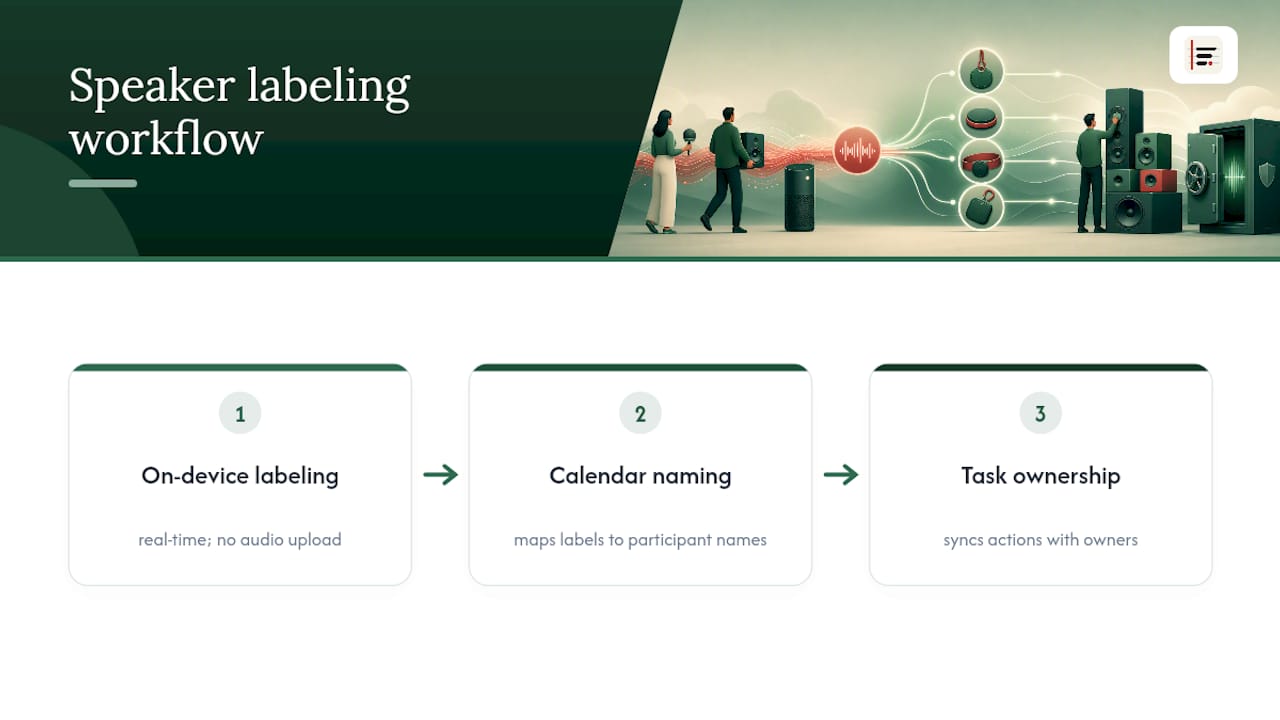
Minuted labels speakers in real time during recording, without sending audio to a server. That matters for sensitive internal meetings where uploading a recording anywhere isn't an option. On-device processing avoids the cloud voiceprint storage risk entirely, because there's no remote database of voice data to secure or breach.
Integration with Google and Outlook calendars turns anonymous "Speaker 1" labels into named participants automatically, and syncing with Todoist, monday.com, and Notion means action items land with an owner attached, not just a transcript line.
What actually determines good speaker labelling
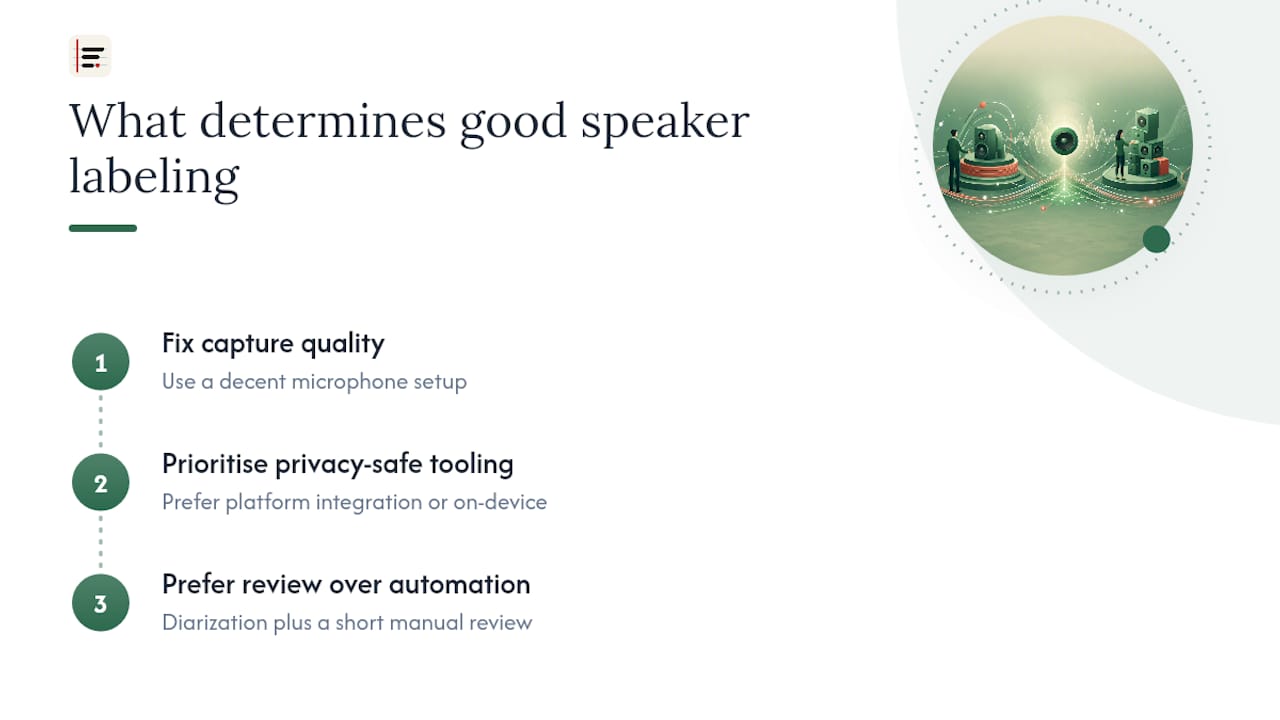
Getting speaker labels right comes down to sequencing, not software sophistication. Fix capture quality before anything else: a decent microphone setup solves more problems than any diarization algorithm ever will. After that, prioritise platform integration or on-device tools wherever privacy is a genuine concern, since cloud uploads of meeting audio are a policy risk many teams underestimate.
If engineering resources are thin, don't chase a fully automated pipeline. Diarization plus a short manual review beats an unreviewed automatic system every time it matters.
— James
Meeting notes with names attached, automatically
Minuted handles speaker labeling on-device, in real time, without an internet connection. Rough notes taken during the call get turned into structured minutes, with speakers identified and action items already assigned to the right person, because calendar and task integrations do that mapping for you.
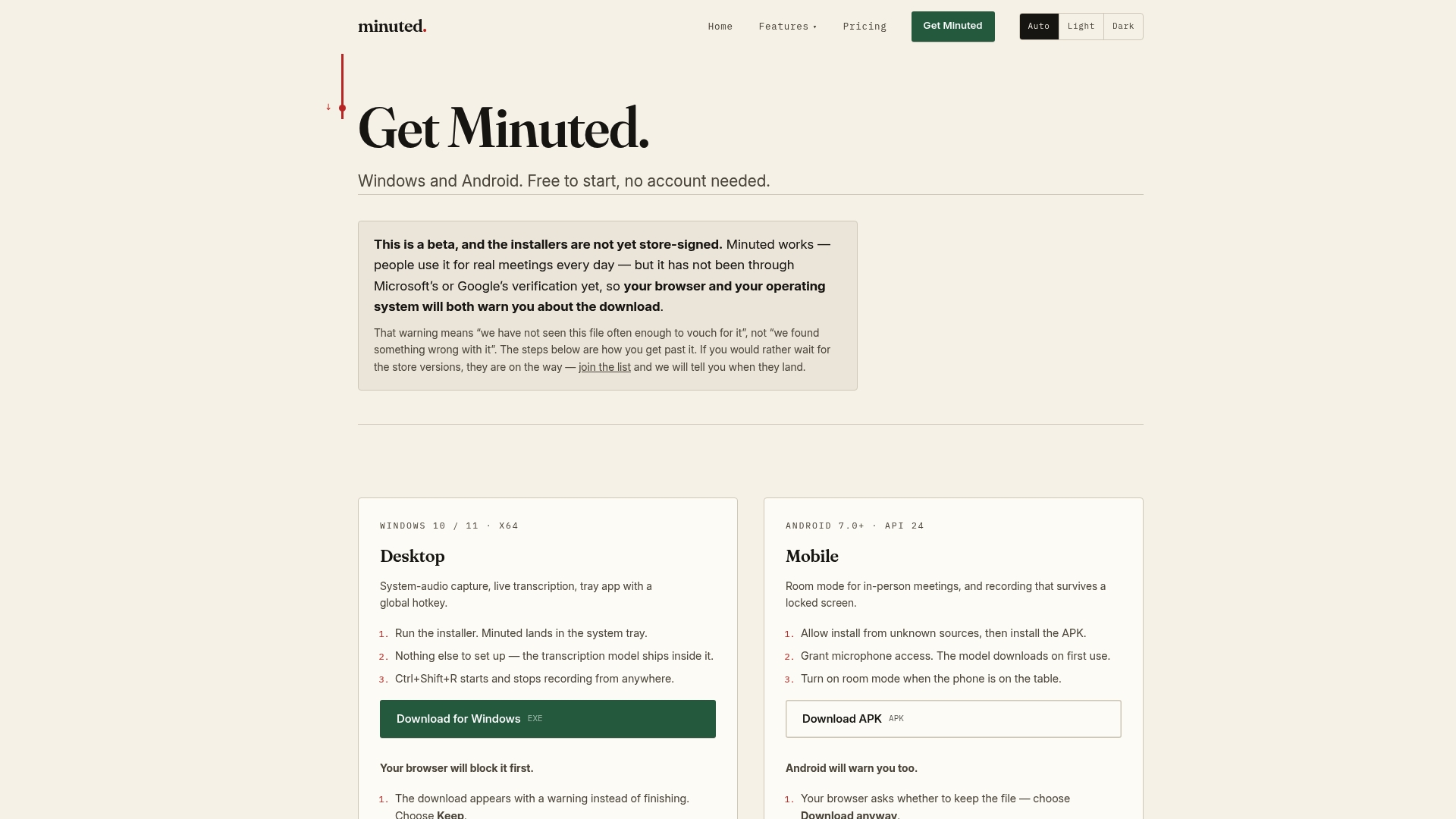
That matters most for teams handling confidential client discussions, HR conversations, or board meetings, where uploading audio to a server isn't acceptable at any price point. If accurate attribution and privacy are both non-negotiable for your meetings, see how Minuted's features handle diarization and integration together, or head straight to the download page and try it on your next call.
Further technical reading
For engineers building custom pipelines: NVIDIA NeMo's diarization docs and pyannote's pretrained models are the standard starting references.
Sources
- What is speaker diarization — Decagon
- Cloud Speech-to-Text multiple voices (Google Cloud)
- Eagle speaker recognition — Picovoice