
Yes, you can transcribe sensitive audio without it ever touching a server: on-device or tightly controlled local processing keeps recordings on the capturing machine throughout. This sidesteps the custody, retention and third-party-processor questions that cloud transcription raises under GDPR. For anything genuinely sensitive, that route is worth the extra setup effort it demands.
TL;DR:
- Performing transcription entirely on the device keeps sensitive audio fully under user control and avoids third-party processors, reducing GDPR compliance complexity.
- On-device models favor real-time transcription but may lack the accuracy and language support of cloud-based services, especially in noisy or accented speech.
- Security controls such as encryption, retention limits, and proper access management are crucial, with regulatory guidance emphasizing demonstrable measures over mere claims.
- To ensure privacy, verify whether audio ever leaves the device, whether storage is encrypted, and if a Data Processing Agreement with the provider is in place before starting.
- Local workflows are ideal for high-stakes recordings like legal, medical, or whistleblower conversations, where source protection outweighs model accuracy or convenience.
Table of Contents
- What private transcription means, and why custody matters
- Local versus cloud: what you gain and what you give up
- A GDPR checklist for sensitive recordings
- How to choose and set up a private transcription workflow
- What a privacy-first, on-device transcription workflow looks like
- When local processing is worth insisting on
- A privacy-focused option for private meeting transcription
- Sources
- FAQ
What private transcription means, and why custody matters
Private transcription refers to converting speech to text without handing the audio to an external party who could store, inspect or reuse it. The term covers several distinct deployment models, and the differences between them are not cosmetic:
- On-device processing — the audio never leaves the phone, laptop, or recorder that captured it; the model runs locally.
- Self-hosted transcription — audio moves to a server the organisation itself controls, on-premises or in a private cloud instance it manages.
- EU-hosted cloud services — a third-party processor holds the data, but within a jurisdiction and contract structure designed to limit legal exposure.
- Public cloud transcription — audio uploads to a general-purpose provider, often outside the user's direct control over storage location or retention.
Custody is the practical question underneath all of this: who can physically access the recording and the transcript, and for how long? A journalist protecting a source, a solicitor handling a client call, a clinician recording patient notes, or a project manager minuting a confidential board meeting all face the same underlying risk. Once audio leaves the device, someone else's infrastructure, staff and retention policy now govern it.
Local versus cloud: what you gain and what you give up
Local or on-device transcription keeps the risk map simple. No upload means no third-party processor to vet, no data transfer to justify, and no dependence on an internet connection. It also collapses much of the legal analysis: without a transfer, there's no processor relationship to document, no cross-border question, and far less exposure if something goes wrong.
Vetted cloud services earn their place too. They typically run larger, more capable models, scale to batch jobs across hundreds of files, and plug into existing collaboration tools more readily. Where local processing genuinely can't deliver the accuracy needed (heavy accents, multiple overlapping speakers, poor audio quality), an EU-hosted provider with a solid Data Processing Agreement and contractual retention limits can be a defensible compromise.
The trade-offs worth weighing:
- Realtime versus batch: on-device models tend to favour realtime, lower-latency transcription; cloud models often win on raw accuracy for batch jobs.
- Language coverage: larger cloud models generally support more languages and dialects than compact on-device models.
- Noise and accent robustness: error rates vary significantly across speech-to-text models in noisy or accented audio, regardless of where processing happens.
Pro Tip: Test any transcription method against your worst-case audio, not your best. A model that performs well on a clean solo recording can fall apart on an overlapping three-person phone call, and that's exactly the recording most likely to be sensitive.
A GDPR checklist for sensitive recordings
Voice recordings count as personal data under GDPR, and transcription itself qualifies as "processing" — recording, storing and converting speech to text are all covered acts, not just the final upload. That single fact should shape every decision about where audio goes and how long it stays there, as defined in GDPR Article 4.
Work through these steps before choosing a tool or workflow:
- Establish your lawful basis. Explicit consent is usually required for recording identifiable individuals in sensitive contexts (health, legal, confidential HR matters); legitimate interest or contractual necessity may apply elsewhere, but document the choice.
- Clarify controller and processor roles. If a third-party tool touches the audio, your organisation typically remains the controller and stays accountable even when a processor handles the work, per EDPB guidance on controller and processor concepts. Get a signed DPA, but don't stop there.
- Verify technical controls directly. Ask about encryption at rest and in transit, key management, access logging, and who at the vendor can technically view raw audio.
- Set retention limits before you start recording. Keep audio and transcripts only as long as the purpose requires, then delete or anonymise.
Regulators expect controllers to demonstrate, not just claim, that security measures fit the risk level of the processing involved, according to EDPS guidance on controller-processor responsibilities. A DPA on file is a starting point, not proof.
How to choose and set up a private transcription workflow
Start with five selection criteria: who holds custody of the audio, who can access the resulting transcript, whether you need realtime output, which languages you must cover, and how many hours of audio you process per month. These five answers narrow the field faster than any feature comparison.
Before adopting any tool, run this verification checklist:
- Does audio ever leave the device, and under what conditions?
- What retention period applies by default, and can you shorten it?
- Can you export a redacted or partial transcript rather than the full file?
- What encryption standard protects stored audio? AES-256 with proper key rotation is a reasonable baseline to ask for.
- Is a Data Processing Agreement available, and does it name subprocessors?
- Does the vendor hold relevant certifications, such as ISO 27001?
Then follow this setup sequence: capture the recording securely on a device you control, process it on-device or on a self-hosted server, store the resulting files encrypted, restrict access to named individuals, export only redacted excerpts for wider circulation, and automate deletion once the retention window closes.
Pro Tip: Automated transcripts can hallucinate words or phrases that were never said, particularly around unclear audio. Cornell research on AI speech-to-text hallucination found this risk is real enough that any quote pulled into a final document deserves a quick human check against the original recording before it goes anywhere.
What a privacy-first, on-device transcription workflow looks like
Minuted's approach to meeting transcription illustrates what "audio never leaves the device" looks like as a working product rather than a policy statement. Recording and transcription happen locally, in real time, without an internet connection required. Speaker labelling separates who said what inside the transcript automatically, and click-to-play transcripts let anyone reviewing the minutes jump directly to key moments without re-listening to the whole recording.
Custody stays with the user by default: nothing syncs, uploads or exports unless someone explicitly chooses to do so. That single design decision removes most of the third-party processor questions that complicate GDPR compliance for cloud-based tools, because there's no transfer to a processor to document in the first place.
Productivity features layer on top without compromising that custody model. Calendar integrations with common calendar apps can trigger a local recording session automatically when a meeting starts, and task-app syncing pushes action items out once minutes are finalised, all without the underlying audio ever needing to leave the device. For a team lead running back-to-back client calls, or a project manager documenting decisions across a dozen meetings a week, that combination handles the note-taking overhead while leaving the sensitive part of the workflow, the raw recording, exactly where it started.

When local processing is worth insisting on
Insist on local or on-device processing whenever source protection matters more than model polish: legal calls, whistleblower interviews, patient consultations, anything where a leak causes real harm. A vetted, EU-hosted cloud service with a solid contract can be acceptable for lower-stakes recordings where model accuracy genuinely outweighs the marginal privacy cost. Either way, write down your threat model and retention policy before you record, not after something goes wrong. That document is what you'll actually be judged on.
— James
A privacy-focused option for private meeting transcription
Minuted gives you a genuinely local alternative to uploading meeting recordings to a general-purpose cloud transcription tool: audio stays on the device by default, with no account or network connection required to transcribe in real time. See exactly what leaves your device and what stays local, feature by feature.
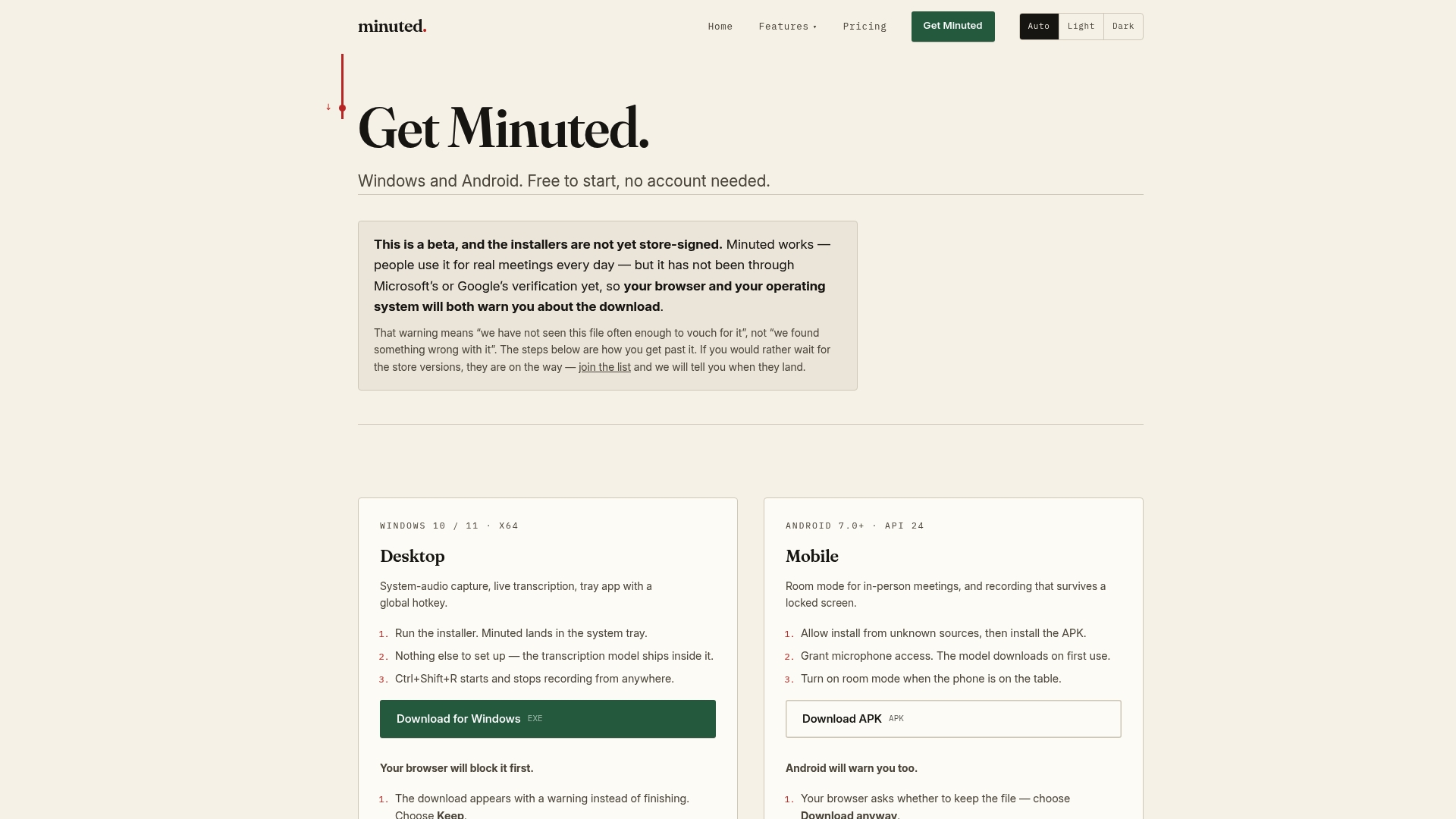
This approach is well suited to professionals who run frequent meetings and need accurate, speaker-labelled minutes without exposing client or colleague conversations to a third-party server. Speaker labelling, click-to-play playback, and calendar and task-app integrations handle the productivity side, while the underlying recording never has to leave your control unless you choose to sync it. If you want the fuller feature list, explore what Minuted can do, or go straight to Minuted's pricing plans to compare the free local tier against Pro at £10 per month (£110 per year) and Ultimate at £20 per month (£220 per year) for expanded cloud minutes and integrations.
Sources
For the legal and technical detail behind this checklist, consult the EDPB's guidance on controller and processor roles, the GDPR Article 4 definitions, and the EDPB's data protection by design guidelines on retention and anonymisation.
- Regulation (EU) 2016/679 (GDPR) — Article 4 definitions
- Guidelines 07/2020 on the concepts of controller and processor in the GDPR | EDPB
- EDPS guidance on controller-processor responsibilities
- AI speech-to-text can hallucinate violent language — Cornell News
FAQ
How much does transcription typically cost?
Costs vary widely by method: free on-device tools have no per-minute charge, while professional human transcription services often charge per audio minute. Minuted's local mode is free with unlimited use, and paid plans for expanded cloud features start at £10 per month for the Pro tier.
Can ChatGPT do transcription?
ChatGPT itself isn't built as a dedicated transcription tool, though OpenAI offers separate speech-to-text models that some developers integrate into other products. Using any cloud-based AI service for sensitive audio means the recording leaves your device, which raises the GDPR custody and processor questions covered above.
How much do transcribers get paid in the UK?
Rates for professional human transcribers in the UK vary by sector, turnaround time and audio difficulty, and no single figure applies across the market. Legal and medical transcription, which demands higher accuracy and confidentiality, generally commands higher rates than general business transcription.
Will transcriptionists be replaced by AI?
AI transcription has already replaced much routine, low-sensitivity work, but human review remains valuable for accuracy-critical or highly sensitive content. Speech-to-text models can hallucinate words that were never said, which is exactly why a quick human check before publishing or filing a transcript still matters.
Is on-device transcription always more private than cloud transcription?
Generally yes, because on-device processing removes the third-party processor relationship entirely, along with most of the GDPR documentation that relationship requires. A vetted, EU-hosted cloud provider with a strong Data Processing Agreement can narrow the gap, but it never fully closes it, since the recording still leaves your direct control.