
Effective one-on-one meeting notes are short, split between what stays private and what gets shared, and always open with a review of the last meeting's action items. That single habit, revisiting what was promised before, drives more trust than any praise or performance comment. The rest is structure: a repeatable checklist, a template you can paste into any notes app, and a routine that turns notes into follow-through rather than an archive nobody rereads.
TL;DR:
- Consistent note templates, including date, wins, priorities, blockers, feedback, and action items, help ensure follow-through and prevent omissions during weekly 1:1s.
- Action items must have a clear owner and due date, be captured immediately, and reviewed at the start of the next meeting to maintain accountability.
- Private observation pages should be kept separate from shared notes to protect confidentiality and provide better insights during performance reviews.
- Recording notes immediately after meetings, preferably with transcription tools like Minuted, reduces recall errors and helps distinguish observations from interpretations.
- Regular preparation and sharing of an agenda beforehand set the tone for productive conversations and shift focus from status updates to development and goal setting.
Table of Contents
- What to include in one-on-one meeting notes
- Practical templates and examples to paste into notes apps
- How to close the loop on action items
- Tools, storage and privacy for 1:1 notes
- When to take notes and how often to meet
- Best practices and common mistakes with 1:1 notes
- How Minuted helps make 1:1 note-taking faster and private
- Preparing for a 1:1 and sharing the agenda
- Using notes for career development and feedback
- Adapting your note style to different people
- Author perspective: why habit beats tools for long-term results
- Try Minuted's privacy-first local mode
- Sources
- FAQ
What to include in one-on-one meeting notes
A workable set of 1:1 meeting notes fits on one screen. Anything longer gets skipped before the next meeting, which defeats the purpose.
The core fields, in order:
- Date and attendees — sounds obvious, but a dated log is what lets you spot patterns over months, not just recall last week.
- Wins — one or two things that went well, named specifically rather than "good week."
- Priorities — what matters most before the next 1:1, in the report's own words where possible.
- Blockers — what's actually stopping progress, distinct from a general complaint.
- Feedback (both directions) — what you're telling them, and what they're telling you about your own support or communication.
- Action items — each one assigned to a specific person and linked to a due date to ensure accountability.
- Follow-ups — items carried over from the last meeting, marked as done, in progress, or stalled.
The trickiest skill here isn't the fields, it's the writing executive incident updates leadership will read. Record observations, not interpretations. "Missed two deadlines this sprint" is an observation. "Struggling with time management" is an interpretation, and it belongs somewhere else, dated and flagged as your read rather than stated as fact. This distinction matters most in shared documents, where an interpretive label can do real damage if the report reads it out of context.
That leads to the shared-versus-private question. Wins, priorities, blockers, and action items generally belong in a document both people can see and edit. Feedback that's still forming, or notes on a pattern you're watching but haven't raised yet, belong in a private page only you can access. Mixing the two in one visible file is one of the more common ways managers erode trust without meaning to.
Practical templates and examples to paste into notes apps
Templates work because they remove the blank-page problem every week. A 1:1 notes template built around consistent sections, rather than freeform notes, tends to produce far better follow-through simply because nothing gets forgotten in the gaps.
Weekly 1:1 template
- Date and attendees
- Follow-up review: status of each item from last time (done / in progress / stalled)
- Wins since last meeting
- Current priorities
- Blockers
- Feedback exchanged
- New action items (owner, due date)
Filled example, showing how one line connects to the next:
Blocker: "Waiting on design sign-off before I can ship the onboarding flow." Action: Maya to chase design lead by Thursday. Owner: Maya. Due: 14 May. Follow-up (next 1:1): Chased design, still waiting, escalate to design manager.
That's the whole mechanism in three lines. A blocker without a linked action is just a complaint on record.
Development conversation template, for the deeper, less frequent check-ins on growth and trajectory:
- Where they see themselves in 12 to 18 months
- Skills or experience gaps between here and there
- What Minuted or another workflow tool has surfaced about how they actually spend their time (if you're tracking that)
- Two or three concrete steps, each with an owner and a date
- Manager's honest read on readiness, kept separate from the shared summary
The GROW coaching framework is worth borrowing here: instead of prescribing the path, ask what they think the goal is, what's realistic, what options exist, and what they'll actually commit to. Your notes should capture their proposals, not your fix.
Manager-only observation page
This is the private layer, structured differently from the shared doc:
- Date-stamped entries only, never edited retroactively
- Observations written as fact ("said in the retro that timelines feel unclear")
- Interpretive reads kept in a separate column or marked with a confidence note ("possible pattern, watching, not yet raised")
- A running tally of themes across entries, reviewed before performance conversations
Keeping these two layers separate protects the report's privacy and gives you a fairer, better-evidenced narrative when review season arrives.
How to close the loop on action items
Notes only earn their keep when the actions inside them get done. The rule is simple: every action item needs one named owner and one due date, and its status gets checked at the start of the next meeting, not weeks later when someone remembers.
A short four-step workflow keeps this from slipping:
- Capture the action in the notes the moment it's agreed, not from memory afterwards.
- Assign it to a named owner, even when it's a shared task, because unowned actions rarely get finished.
- Surface it somewhere it'll actually be seen again, a calendar entry or a task app rather than buried in a document.
- Review it explicitly at the top of the next 1:1, before anything else gets discussed.
Stalled items need a decision point, not silence. If something's been carried over twice with no movement, ask directly whether it's still the right priority, whether it needs a different owner, or whether it needs escalating above the 1:1 entirely. Letting a stalled item quietly vanish from the notes teaches the report that commitments made in the room don't really count.
Pro Tip: Make "review last time's actions" the literal first agenda item, before wins or priorities. Starting there, every single time, is what makes the habit visible rather than optional.
Tools, storage and privacy for 1:1 notes
The split between shared and private notes should shape which tool you pick, not the other way round. Wins, priorities, and action items go in a shared doc the report can revisit anytime. Interpretive observations and long-term pattern notes belong on a manager-only page, ideally with restricted access rather than just a hidden tab in the same file.
A common, workable pattern is one running document per direct report, plus a lighter review page you revisit each quarter to look for themes across weeks. Tagging by topic (career, workload, feedback) makes that quarterly search far faster than scrolling.
When evaluating a note-taking or in-person meeting notes tool, check for:
- Offline or on-device recording, so sensitive conversations aren't dependent on an internet connection
- Speaker labelling, so a transcript of a two-person conversation is actually usable afterwards
- Export options, so notes aren't locked into one app forever
- Integrations with the calendar and task tools you already run
- Clear privacy settings, ideally with control over what leaves the device at all
Privacy matters more here than in most meeting contexts, because 1:1s routinely cover pay, performance, and personal circumstances. A transcription tool that processes audio locally by default gives you one less thing to worry about when the conversation turns sensitive.
When to take notes and how often to meet
Weekly is the sensible default for most direct reports. Gallup's research finds that employees who get meaningful feedback within a given week are far more likely to stay engaged, which argues for a standing weekly coaching conversation rather than an occasional one. Highly autonomous senior reports can often stretch to every other week without losing alignment, provided the gaps don't swallow follow-ups.
Timing the notes themselves matters almost as much as the meeting cadence. Write them immediately after the conversation, not the next morning. Recall degrades fast, and the specific phrasing a report used, which often matters when you're separating observation from interpretation, is the first thing to blur.
- Use quick, informal check-ins for fast status pings that don't need documentation.
- Reserve the formal 1:1 slot for coaching, blockers, and career conversation, where notes genuinely earn their place.
- Open every formal 1:1 by reviewing the prior action items, before anything new gets raised.
Best practices and common mistakes with 1:1 notes
Get a handful of habits right and the rest tends to follow.
Do this:
- Write what happened, not what you think it means, and if you must record a read, date it and mark how confident you are.
- Share action items openly and start the meeting by reviewing what's outstanding from last time.
- Keep a consistent cadence for notes, even in a light week when there's little to report.
Avoid this:
- Mixing private observations into a document the report can see, even accidentally, through a shared drive folder.
- Skipping follow-up review because the meeting ran long, since skipped follow-ups are what erode trust fastest.
- Treating notes as a status log only, with wins and blockers logged but no action items attached to any of it.
Pro Tip: If a note doesn't lead to either an action, a follow-up, or a documented decision, ask whether it needed writing down at all. Notes that only describe rather than direct tend to pile up unread.
How Minuted helps make 1:1 note-taking faster and private
Capturing all of this by hand, live, while also actually listening to the person across the table, is the practical problem most managers hit. Some transcription tools record and transcribe audio on-device, label speakers automatically, and turn rough conversations into structured minutes without needing an internet connection.
A typical 1:1 workflow looks like this: start the recording at the top of the meeting, let Minuted separate your voice from the report's as you talk, and finish with a transcript that already distinguishes who said what. Action items surface directly from the conversation and can sync to Todoist, monday.com, or Notion, so the "surface it somewhere visible" step from the closing-the-loop workflow happens automatically rather than depending on you remembering to copy it over later.
Privacy can be a default feature in some transcription tools, with audio not leaving the device unless the user explicitly opts for a cloud write-up option, and local modes may operate without requiring an account or network connection. For conversations involving sensitive topics like pay, performance, or personal circumstances, having on-device processing may be particularly beneficial compared to other transcription options.
Preparing for a 1:1 and sharing the agenda
Notes are only as good as the meeting that produced them, and preparation shapes that meeting more than most managers assume. Sharing a lightweight agenda beforehand, even three bullet points, gives the report time to think rather than react, and it shifts the conversation from status recitation towards the things that actually need discussing.
A shared agenda document that both people can edit before the meeting works better than a manager-only plan. Let the report add their own items at the top, since research from HEC on structured 1:1s found that individually-focused, script-supported conversations improved both psychological safety and reported satisfaction, compared with manager-driven, unstructured chats.
Preparation on your side should take minutes, not hours: skim last week's follow-ups, note anything you owe them, and check whether a broader team update needs raising. Walking in with the previous notes open, ready to review action items first, does more for the meeting's tone than any amount of agenda polish.
Using notes for career development and feedback
The same document that tracks weekly blockers can quietly become the backbone of a fair performance review, provided it's built with that second purpose in mind from the start. A pattern of dated observations, rather than a single end-of-cycle impression, gives both you and the report something concrete to discuss rather than a vague sense of "how the year went."
Tag entries related to skill growth, stated career goals, and feedback given, separately from routine status updates. When a promotion conversation or review cycle arrives, that tagged thread becomes the evidence base rather than a scramble to reconstruct six months from memory. It also protects the report: a fair record built from specifics defends against recency bias, where the last fortnight unfairly colours the whole assessment.
Feed development goals back into the weekly template too. A line like "priority: preparing for the senior review, working through the three skill gaps agreed last month" keeps the long-term goal visible in the everyday notes, rather than confined to a once-a-quarter conversation that everyone forgets about in between.
Adapting your note style to different people
Not every report wants the same format, and forcing one style onto all of them tends to flatten the conversation rather than open it up. Someone who thinks out loud benefits from a note-taker who can keep pace and label who said what without breaking the flow, which is where a tool doing speaker labelling in the background earns its place. Someone more reserved often needs the opposite: fewer prompts, more space, and notes that capture the two or three things they did say rather than padding the gaps.
Structure the meeting style around that, not just the notes. A junior report early in their role may need a tighter, more directive 1:1, closer to a checklist. A senior, autonomous report usually does better with the GROW model's open questioning, where you ask what they think the options are rather than supplying them. The notes template can stay largely the same across both, but how much of it you fill in during the conversation versus after should flex to match how the person actually talks.
Watch for the report who consistently says less than the notes suggest happened. That's often a signal to slow down and ask a direct, open question rather than filling the silence with your own summary of what you assume they meant.
Author perspective: why habit beats tools for long-term results
The template matters less than the discipline of starting every 1:1 by reviewing what was promised last time. That one habit, done consistently, tells a report more about whether you take the relationship seriously than any single piece of praise. Tools like Minuted remove the friction of capturing the conversation accurately, but they don't create the habit. That part is entirely on the manager who chooses to open the meeting with follow-up, every time, without exception.
— James
Try Minuted's privacy-first local mode
Minuted gives you a genuinely private way to run the workflow this article describes: record on-device, get speaker-labelled transcripts, and let action items flow straight into the task tools you already use, without an internet connection or an account required for the local mode. Start with the free unlimited local mode to see how it fits your 1:1 routine before deciding whether you need more.
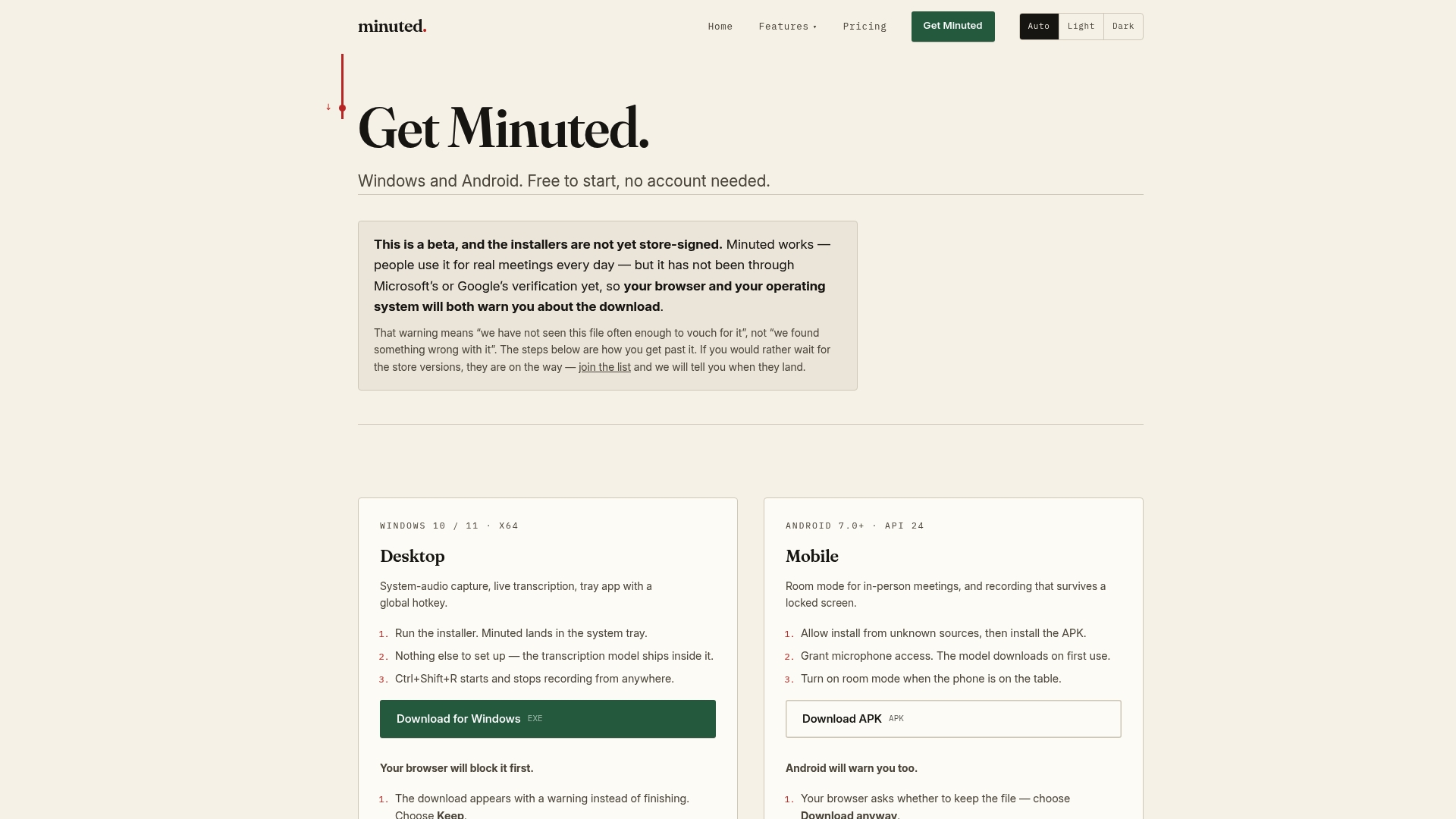
If you find yourself wanting more cloud processing minutes, calendar syncing, or the advanced write-up features once you're used to the workflow, the Pro and Ultimate plans are available monthly or yearly, and full plan details sit on the same pricing page. Download Minuted, run it through your next 1:1, and see whether the transcript alone saves you the ten minutes you'd otherwise spend writing notes from memory afterwards.
Sources
- Great managers make feedback a habit | Gallup
- Fostering psychological safety in teams (HEC research)
- A 1:1 notes template | Roland Leth
FAQ
How Do You Write Good One-on-One Meeting Notes?
Keep them brief, split between shared action items and private observations, and open the document by reviewing what was agreed last time. Use a consistent template, wins, priorities, blockers, feedback, and action items with named owners and due dates, so nothing gets improvised each week.
Is There a Template for Notes in OneNote or Similar Apps?
Yes. Any notes app, including OneNote, can hold the same six-section structure: date, follow-up review, wins, priorities, blockers, and new action items. The tool matters less than keeping the sections consistent meeting to meeting.
What Should Be Discussed in a One-on-One Meeting?
Cover follow-up on prior action items first, then current wins, priorities, and blockers, with feedback exchanged in both directions. Development topics, career goals, and skill gaps belong here too, though usually in a less frequent, more expanded version of the same conversation.
How Do You Refer to a One-on-One Meeting Professionally?
"One-on-one" or "1:1" are the standard professional terms, sometimes written as "check-in" for shorter, less formal versions. "Coaching conversation" is also used when the meeting leans more towards development than status updates.
How Can I Keep One-on-One Notes Private but Still Useful?
Split your notes into two layers: a shared document for wins, priorities, and action items, and a manager-only page for interpretive observations, dated and kept separate. Tools such as Minuted that process audio on-device by default help keep the raw recording private even before you decide what to write down.