
Record meetings responsibly: always announce the recording, confirm you have a legitimate reason to make it, secure the file with restricted access, and publish a short, timestamped summary afterwards. Guidance from the FTC and the ICO both point the same way: transparency and proportionality first, technology second.
TL;DR:
- Recording permissions and the necessity must be clearly justified, proportional, and based on the meeting's purpose, with shorter retention for routine updates.
- Platforms should combine technical controls like encryption and access tiers with policies for auditability and redaction, especially for sensitive or regulated discussions.
- A short pre-meeting test, visible recording indicators, and clear notices in invites and verbal announcements are essential for fair and reliable recordings.
- Retention periods should align with the purpose, with rule-of-thumb limits of 30 days for status updates and one year for decision-making meetings, longer for training.
- Redacting recordings requires careful, justified edits, with original files kept secure and metadata documenting all changes for transparency.
Table of Contents
- Legal and privacy checks before you record
- Device and platform setup for clear, reliable recordings
- How to run a recorded meeting fairly and respectfully
- Securing recordings: storage location, access control, retention and redaction
- Making recordings usable: transcripts, captions, summaries and metadata
- Checklist for avoiding failed recordings and recovering from errors
- How on-device transcription and Minuted's approach maps to these best practices
- Notifying participants when consent wasn't obtained beforehand
- Post-recording editing and redaction best practices
- Managing privacy concerns and sensitive information in recordings
- Ethical guidelines and company policies on recording meetings
- Author perspective: balancing transparency and usefulness
- Minuted as a privacy-first option
- Sources
- FAQ
Legal and privacy checks before you record
Consent rules vary by jurisdiction. Some regions require only one party to agree to a recording, while others require every participant's consent, so check local rules before you press record for a cross-border call. Even where the law only asks for one-party consent, most workplace policies treat announcing the recording as mandatory, because it protects trust and gives people the chance to object or step away.
The ICO's guidance on surveillance recordings applies the same logic to meetings: organisations should be able to justify why a recording is necessary and proportionate, and should prefer a less intrusive option (notes, a written summary) when a full recording adds little value. Posting a recording to an open or indefinite audience without clear consent is generally inappropriate under this guidance.
Retention should match purpose, not habit:
- A routine status meeting rarely needs a recording kept beyond a short period.
- A decision-heavy meeting with commercial or legal weight might warrant a longer retention period.
- Training sessions and onboarding recordings are often kept permanently, given their ongoing reference value.
The FTC has flagged that recordings made on common conferencing platforms have leaked despite an active recording indicator being shown to participants. That is a strong argument for combining platform controls with clear internal policy rather than relying on defaults alone, according to the FTC's video conferencing guidance. Where a meeting crosses borders or a third party will store the file, confirm where the data physically sits, who can access it, and how you would respond to an access or deletion request. Auditability, not just security, is what regulators and colleagues will ask about later.
Device and platform setup for clear, reliable recordings
A recording is only useful if it is audible and, ideally, transcribable. Wired microphones tend to be more reliable than wireless ones for long meetings, and a directional or cardioid microphone reduces the room noise that trips up automatic transcription. For group rooms, position the microphone close to the main speakers rather than relying on a laptop's built in mic, which usually picks up more of the room than the voice.
Before any meeting that matters, run through this client appointment accountability system sequence:
- Confirm recording permissions are enabled for the host and, where relevant, for backup recorders.
- Check available storage locally and in the cloud so a long session does not stop mid-recording.
- Run a short test recording and play it back to confirm audio levels and clarity.
- Verify that the platform's recording indicator is visible to participants, as recommended in the FTC's guidance.
- Set up a local backup recording where policy allows a second copy outside the primary cloud storage.
Where the platform supports it, enable speaker labelling and separate audio channels per participant. Separated channels give transcription software a far easier job distinguishing who said what, which matters more in meetings with several similar-sounding voices.
Pro Tip: Do a 30-second test recording at the start of every important call, not just before it, since permissions and devices can silently reset between sessions.
How to run a recorded meeting fairly and respectfully
Recording notice belongs in three places: the calendar invite, the agenda, and a short verbal announcement at the start of the call. A workable script is simple: "This meeting is being recorded for note-taking and action tracking. Let us know now if you'd like to pause the recording for any part of the discussion."
A few operational rules keep this fair rather than performative:
- Give participants a genuine opt-out, such as pausing the recording for a sensitive segment or contributing notes asynchronously afterwards.
- Restrict who can start a recording to the meeting owner or a named backup, and make that person responsible for the file and any resulting action items.
- Use a consistent naming convention (date, team, topic) and timestamp key decisions so the file is searchable later, not just archived.
- Distribute the recording and summary only to those who need it, following the same access list every time rather than an ad hoc one.
Some meetings are better left unrecorded: disciplinary conversations, informal one-to-ones, and any discussion where participants need to speak freely about people rather than projects. Recording those tends to chill honesty rather than support it.
Securing recordings: storage location, access control, retention and redaction
Store recordings in one central, managed repository rather than scattered personal drives, and assign an owner at creation. That owner becomes the point of contact for retention, redaction and deletion requests, which shortens response times considerably.
Technical controls matter as much as policy:
- Encrypt files at rest and in transit, and prefer streaming-only access over unrestricted downloads for sensitive recordings.
- Use access tiers so viewing, downloading, redacting and deleting are separate permissions, not bundled together.
- Keep an audit log of who accessed or exported a recording and when.
- Build a light redaction step into the workflow for recordings that will be shared beyond the original attendees.
The ZoomGov privacy impact assessment documents exactly this kind of layered control, including role-based access, encrypted cloud storage and host-configured sharing settings.
| Meeting type | Suggested retention | Rationale |
|---|---|---|
| Routine status update | 30 days | Low ongoing value once actions are logged |
| Decision or commercial discussion | 1 year | Supports audit and dispute resolution |
| Training or onboarding session | Indefinite | Ongoing reference value for new starters |
| Health-related or regulated discussion | Set by compliance policy | Subject to stricter handling under frameworks like the HIPAA security rule |
Making recordings usable: transcripts, captions, summaries and metadata
A recording nobody can search is barely better than no recording at all. Automatic captions and transcripts should be switched on by default, with a human review pass for any meeting where the decisions carry weight.
- Add a short, two-paragraph summary to every recording, with timestamps marking decisions and assigned actions.
- Apply consistent file names, tags and metadata so a colleague can find the right recording without opening five of them.
- Offer accessible formats, including downloadable transcripts, for anyone who cannot easily watch or listen to the original file.
- Check that captions meet accepted accessibility standards rather than treating them as a rough approximation.
This is also where separated audio channels from the technical setup stage pay off: cleaner input produces a transcript that needs less correction later.
Checklist for avoiding failed recordings and recovering from errors
Most recording failures trace back to a skipped check rather than bad luck.
- Before the meeting, confirm permissions, storage space, the recording indicator and a local backup plan.
- During the meeting, glance at the recording indicator periodically and note the timestamp of any key decision or interruption.
- After the meeting, verify the file plays back correctly, check the transcript for obvious errors, set access permissions and retention, and notify attendees that the recording is available.
Corrupt files and missing audio are the two most common failures. A corrupt file is often recoverable from a local backup if one was running; missing audio usually traces back to a muted input device that nobody noticed mid-call.
Pro Tip: Keep a short "recording incident" note template ready, so when something fails you capture what happened while it is still fresh rather than reconstructing it days later.
How on-device transcription and Minuted's approach maps to these best practices
On-device transcription reduces cloud exposure by keeping raw audio on the endpoint unless a user explicitly chooses to send it elsewhere, which narrows the attack surface described throughout this guide. Minuted processes recordings this way, adding speaker labelling and integrations with calendar and task tools so a transcript becomes a set of assigned actions rather than a passive file.
- Speaker labelling supports the accessibility and searchability practices covered above without extra manual tagging.
- Calendar and task integrations (Todoist, monday.com, Notion) turn timestamped decisions into trackable work.
- Offline, in-person meeting capture suits room-mode meetings where a stable internet connection cannot be assumed.
- Cloud processing remains available for teams that want to combine local capture with shared, higher-volume transcription minutes.
Notifying participants when consent wasn't obtained beforehand
If a recording started without prior notice, tell the affected participants as soon as reasonably possible rather than staying silent. State clearly that the recording happened, explain the reason, and offer to delete or redact any portion they are uncomfortable with.
This situation comes up more than teams expect: someone joins late, a recurring meeting's recording toggle was left on from a previous session, or a new attendee was not on the original invite. In each case, the fix is procedural rather than legal. Send a short message naming the meeting, the date, and the fact that a recording exists, then point to where it is stored and who controls access to it.
Where the recording touched on sensitive personal information, treat the after-the-fact notice as an opportunity to apply the same necessity test the ICO recommends before recording in the first place: does this recording need to exist at all, and if so, for how long. If a participant asks for deletion, honour it unless there is a documented reason (a live compliance investigation, for example) not to, and record that reason alongside the file's metadata so the decision is auditable later.
Building a habit of prompt, honest notice does more for trust than any policy document, because it shows people that the organisation will own a mistake rather than quietly file it away.

Post-recording editing and redaction best practices
Editing a recording after the fact should follow the same proportionality principle as recording it: remove only what genuinely needs removing, and keep a record of what was changed and why. A redaction log matters as much as the redaction itself, particularly if the file might later be relevant to a dispute or an access request.
Practical steps that keep this manageable:
- Redact audio segments rather than deleting the whole file where only part of the discussion is sensitive.
- Use a consistent tool and process for redaction so the output format stays predictable across recordings.
- Keep the original, unedited file in a more restricted access tier and treat the redacted version as the one for general distribution.
- Note the redaction in the file's metadata, including who approved it and the date it happened.
Avoid editing for tone or content beyond removing genuinely sensitive material. A recording edited to make a discussion look tidier than it was undermines the trust the rest of this guide is built on, and it can create real problems if the file is ever needed as an accurate record of what was said.
Managing privacy concerns and sensitive information in recordings
Some information should never make it into a recording if it can be avoided: financial details, health information, personal data about third parties who are not present to consent, and anything covered by a specific regulatory framework. The FTC advises assuming any meeting might be recorded and adjusting what gets said accordingly, which is a useful habit even for meetings that will not be.
When sensitive topics are unavoidable, pausing the recording for that segment is simpler and safer than trying to redact it afterwards. Where a meeting involves protected health information or similarly regulated data, apply the stricter handling that guidance from HHS describes, including tighter access controls and shorter, purpose-driven retention.
A short pre-meeting check, "will anything sensitive come up today", takes seconds and prevents most of the awkward after-the-fact redaction work described above.
Ethical guidelines and company policies on recording meetings
A written policy beats an unwritten norm every time, because it gives everyone the same expectations rather than leaving them to guess. A workable policy names who may start a recording, where notice must appear, how long files are kept by meeting type, who can access them, and how a participant raises an objection.

Ethically, the test worth applying is simple: would participants be comfortable knowing this recording exists and who can see it. If the honest answer is no, either the recording should not happen or the access list needs to shrink. Policies that treat recording as a default rather than a deliberate choice tend to erode exactly the trust they were meant to protect.
Author perspective: balancing transparency and usefulness
Rules on paper mean little without buy-in. Pilot a recording policy with one team, watch what breaks, and adjust the retention rules before rolling it out wider. The best policy is the one people actually follow, not the one that reads most impressively.
— James
Minuted as a privacy-first option
Everything in this guide points towards keeping recordings close, controlled and useful rather than sprawling across shared drives. Minuted processes audio on-device, so nothing leaves the machine unless a user chooses cloud processing, and it labels speakers automatically while syncing decisions to Todoist, monday.com or Notion.
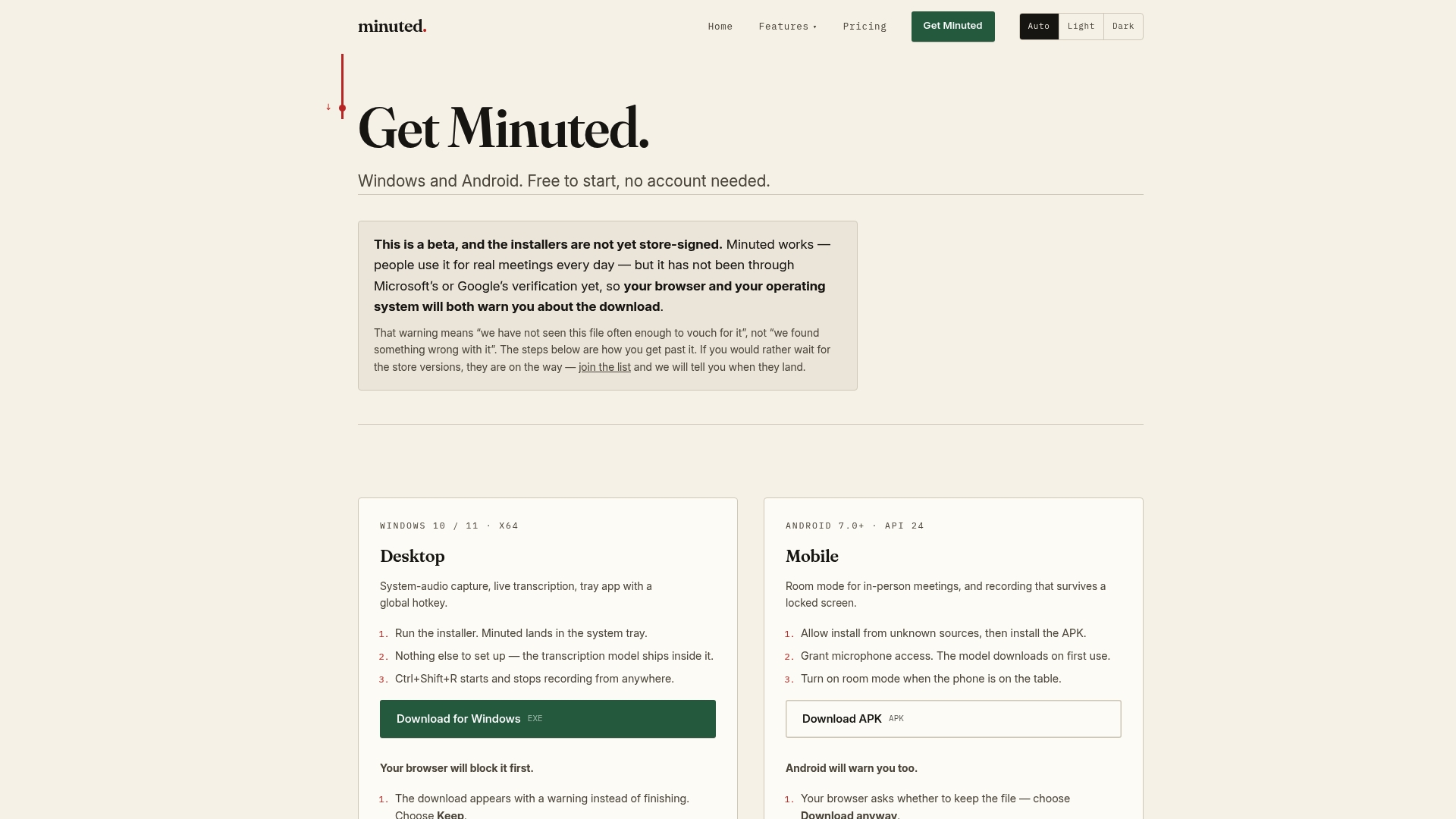
The Free plan runs unlimited local transcription with no account required, which suits teams testing whether on-device capture fits their workflow before committing further. Pro and Ultimate plans add cloud processing minutes and calendar integrations for teams that need more volume, with full details on the pricing page. For room-mode or in-person meetings, the in-person meeting notes workflow covers the same privacy approach without needing a live internet connection.
Sources
For further reading beyond this guide, the FTC's video conferencing privacy tips cover platform-level risks in plain language, while the ICO's surveillance guidance sets out the necessity and proportionality test referenced throughout. The ZoomGov privacy impact assessment is worth a look for teams wanting the technical detail behind host controls, and HHS security rule guidance applies where health-related discussions are involved.
- How can we comply with the data protection principles when using surveillance systems? | ICO
- Video conferencing: 10 privacy tips for your business | FTC
FAQ
What are the rules for recording a meeting?
Rules depend on jurisdiction: some places require only one participant's consent, others require everyone's. Regardless of the legal minimum, best practice under ICO guidance is to announce the recording clearly, justify why it is necessary, and limit who can access the file afterwards.
What are the 5 P's of meetings?
Definitions vary across organisations, but a common version covers purpose, participants, process, preparation and product, essentially why the meeting exists, who attends, how it runs, what groundwork precedes it, and what outcome it produces. Applying this framework before deciding whether to record helps clarify whether a recording actually serves the meeting's purpose.
What is the 40/20/40 rule for meetings?
This isn't a standard, widely documented meeting framework, so treat any specific ratio you encounter with caution. The underlying idea some teams use, splitting effort between preparation, the meeting itself and follow-up, is a reasonable way to think about where recording and summarising add the most value.
What is the best way to record a meeting?
Use a directional microphone or a platform with reliable audio capture, announce the recording at the start, and check that the recording indicator is visible throughout, as the FTC recommends. On-device tools such as Minuted add speaker labelling and keep audio local by default, which suits teams prioritising privacy alongside accuracy.