
A meeting recap email is a short document that records the decisions made and assigns action items to named owners with deadlines. It should contain five things: the meeting name and date, the decisions, the action items, who owns each one, and when each is due. Send it within 30 to 120 minutes of the meeting ending. Same day is acceptable; waiting longer lets details blur and momentum stall.
TL;DR:
- Sending a meeting recap within 30 to 120 minutes ensures the details remain fresh and prevents delays that cause forgetting or misalignment.
- A clear structure should include context, concise decisions, specific action items with owner names and deadlines, and unresolved questions with responsible parties.
- Recipients should include all attendees and key absentees affected by decisions, but exclude confidential or sensitive topics from general summaries.
- Use consistent subject lines and bolded owner names and dates to facilitate quick scanning, keeping each bullet to one sentence for clarity and brevity.
- Automating draft creation via on-device transcription tools speeds up writing, maintains confidentiality, and supports a disciplined, repeatable recapping process.
Table of Contents
- What is a meeting recap email, and when should you send it?
- Who should receive the meeting recap?
- What structure should every recap follow?
- Templates and subject lines you can copy
- Best practices and mistakes that undermine recaps
- How do you speed up writing recaps without cutting corners?
- Why the discipline matters more than the tool
- Turn your notes into a recap in minutes, not hours
- Sources
- FAQ
What is a meeting recap email, and when should you send it?
A meeting recap is an execution document, not a transcript. It exists to capture what changed and who is doing what next, not to narrate who said what and when. That distinction matters because a lot of professionals conflate recaps with formal minutes, which is a different beast entirely. Minutes are a procedural record, often required for governance or compliance, and they tend to log attendance, motions, and votes in sequence. A recap skips the sequence and jumps straight to outcomes.
A general follow-up email is looser still. It might just say "thanks for your time" with a vague nod to next steps. A recap of a meeting is more disciplined: it names decisions, assigns tasks, and puts a date on each one.
Timing is where most recaps fail before they even get written. The window that works best is 30 to 120 minutes after the meeting ends, while context is still sharp in everyone's mind. Same day is the acceptable fallback, ideally within 24 hours. Beyond that, people forget which version of a decision was final, owners forget they own something, and the whole exercise turns into an argument about what was actually agreed.
Here's what separates a recap from noise:
- It opens with one line of context: what the meeting was for and what got decided.
- It lists decisions as flat statements, not a blow-by-blow account of the debate.
- It names exactly one owner per task, with a date attached.
- It flags anything still unresolved, so nobody assumes silence means agreement.
Who should receive the meeting recap?
The default recipient list is every attendee, plus anyone who was invited but couldn't make it. Absentees still need the outcomes, particularly if a decision affects their work. Leaving them out because "they weren't there" defeats the point of writing the recap at all.
Beyond that default, you're making judgment calls:
- Leadership: CC them if a decision touches budget, headcount, or strategy; otherwise, a separate leadership recap (covered in the templates below) respects their time better than a full task list.
- External partners or clients: rarely get the internal recap wholesale. Write a client-facing version that strips internal debate and keeps only what was agreed and what happens next.
- Sensitive items: if a meeting touched something confidential, personnel matters, a client complaint, unresolved legal exposure, don't fold it into the general recap. Keep a separate note and distribute it only to the people who need it.
Getting the recipient list wrong in either direction causes problems. Too narrow, and someone acts on outdated information. Too broad, and the recap becomes background noise people stop reading, which defeats the entire exercise.
What structure should every recap follow?
Use the same skeleton every time. Repetition is what makes a recap fast to write and fast to read; recipients learn where to look, so they stop reading the whole email and start scanning for their name.
Start with one line of context: what the meeting was, why it happened, and the main topic covered. Something like "Quick recap of today's Q3 budget review" does the job in under ten words.
Decisions come next, and they should read as flat statements, not stories. "We agreed to delay the launch by two weeks" is a decision. A paragraph explaining the back-and-forth that led there is not; that belongs in a longer document if it belongs anywhere. Best-practice templates recommend decisions, owners, and deadlines as the core structure rather than a narrative of who argued what.
Action items follow, and this is where discipline pays off. One line per task. One named owner. One deadline. If two people need to work on something together, name a lead and list the supporter separately, because shared ownership without a named lead is a common way accountability quietly disappears. If a single discussion spawned three separate follow-ups, write three action items rather than bundling them into one vague line that nobody can actually mark complete.
Open questions get their own short section. Anything genuinely unresolved should be listed explicitly, with a name attached to who's chasing the answer and by when. Silence on an open question is not the same as resolution, and burying it inside a paragraph guarantees it gets forgotten.
Close with next steps: the date of the next meeting, if one's scheduled, and links to any documents, decks, or recordings referenced during the discussion.
A few formatting rules make the difference between a recap that gets read and one that gets skimmed and ignored:
- Use a consistent subject line, something like "Recap: Product Sync — 14 March," so people can find it in search later.
- Bold owner names and deadlines. Practitioners report that bolded owners and dates get scanned far more reliably than plain text buried mid-sentence.
- Use bullets for decisions and action items, not paragraphs.
- Keep each bullet to one sentence. If it needs two, the point probably needs splitting into two items.
Pro Tip: If a decision needs more context than a single line can hold, don't stretch the recap. Link out to the fuller document or recording instead. A recap that stays short but points to a living document beats a long email that nobody finishes reading.
Templates and subject lines you can copy
Subject-line consistency matters more than people give it credit for. A predictable format, such as "Recap: [Meeting name] — [Date]", means recipients can search their inbox and find the right recap months later without guessing what you called it at the time.
Here are four templates built for the situations you'll hit most often, plus a quick variant for chat tools.
-
Internal sync recap. Subject: "Recap: Weekly Ops Sync — 14 March." Body: one line of context ("Covered Q2 roadmap and staffing gaps"), then bulleted decisions, then bulleted action items with bold owners and dates, then a short "parking lot" section for anything raised but not resolved.
-
Client call recap. Subject: "Recap: [Client Name] Kickoff Call — 14 March." Body: a brief thank-you line, then agreed next steps phrased as commitments rather than internal tasks ("We'll send the revised proposal by Friday"), then any open items still awaiting the client's input. Strip internal disagreement entirely; clients only need the agreed outcome.
-
Leadership update recap. Subject: "Recap: Product Steering Committee — 14 March." Body: one-line executive summary up front, then decisions only, no task-level detail, then a short escalations section if anything needs a leadership call. Leadership recaps work best when they surface decisions, risks, and escalations rather than granular tasks, because that's what respects a senior reader's time.
-
Sales follow-up recap. Subject: "Recap: Discovery Call with [Prospect] — 14 March." Body: thank them for their time, restate the problem they described in one line, list agreed next steps with dates, and close with a single clear ask (a follow-up call, a proposal review, a signature).
-
Slack-style quick variant. For fast-moving teams, the same structure compresses into a chat message: bold headers for "Decisions" and "Next steps," bullets underneath, no preamble. It's the same skeleton, just stripped of email formatting.
Every one of these follows the same underlying logic: context first, decisions as flat statements, one owner per task, dates attached to everything that matters.
Best practices and mistakes that undermine recaps
Brevity is the single hardest discipline to maintain and the one that matters most. Aim to keep the whole recap under roughly 200 words wherever the meeting allows it. One line per item is not a suggestion; it's what keeps a recap scannable on a phone screen between other meetings.
Accountability is the second discipline. Assign exactly one owner per action item. When several people genuinely need to contribute, name a lead and list the others as support, because multiple owners with no clear lead is one of the most common ways tasks quietly stall.
The most common mistake by far is narrating the meeting instead of recording its outcome. Nobody needs a paragraph describing how the debate unfolded; they need to know what was decided and what happens next. If you catch yourself writing "we discussed," stop and ask whether that sentence contains a decision or an action item. If it doesn't, cut it.
Before sending, run a quick proofread pass:
- Every owner's name is spelled correctly and is a real person on the thread.
- Every date is a specific day, not "soon" or "next week."
- Every referenced document or attachment is actually linked.
- Nothing in the decisions section contradicts what was actually agreed.
One judgment call worth naming: when a deadline wasn't explicitly agreed in the meeting, propose one rather than leaving it blank, and mark it as proposed so the owner can push back. A recap with no date at all invites drift; a recap with a confidently wrong date invites confusion. Proposing beats omitting almost every time.
How do you speed up writing recaps without cutting corners?
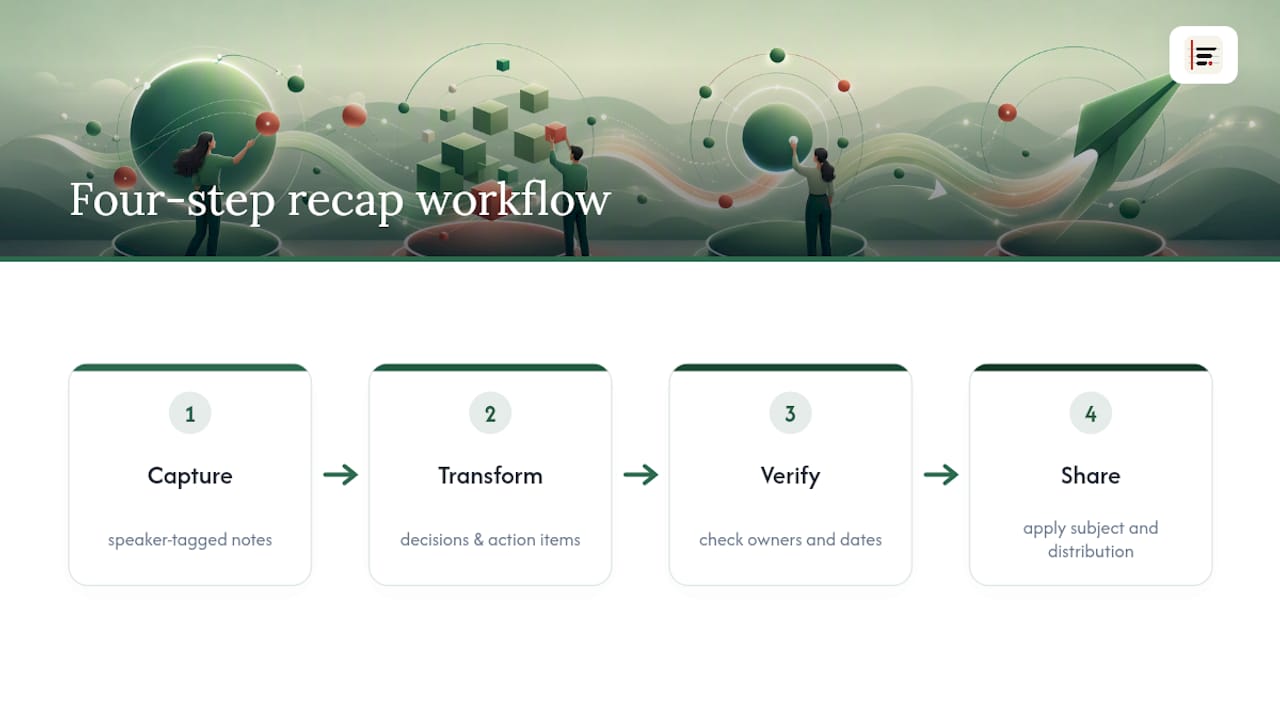
The bottleneck in most recaps isn't the template. It's the gap between what happened in the room and what makes it onto the page afterwards. A practical workflow closes that gap in four steps.
Capture happens during the meeting itself: shorthand notes plus who said what, tagged by speaker rather than lumped together. Transform turns that raw capture into a draft with decisions and action items already separated out, ready to paste into an email rather than rewritten from scratch. Verify is a fast pass to check owner names and dates are correct before anything goes out. Share applies the subject-line and distribution rules covered above.
Speaker-labelled, on-device transcription fits neatly into the capture and transform steps, turning rough shorthand into a structured draft without a manual retype. Because the processing happens locally, nothing about what was discussed needs to leave the device to produce that draft, which matters when a meeting touches anything sensitive.
Pro Tip: Build your recap template once, save it, and reuse the exact same structure every time. The speed gain doesn't come from writing faster. It comes from never having to decide what the email should look like.
Why the discipline matters more than the tool
Most people treat the meeting recap as an afterthought, something to bang out between calls if there's time. That's backwards. A disciplined, consistently structured recap does more for execution than almost any other five minutes of a manager's day, because it converts a conversation into a set of commitments someone can be held to.
The habit that actually moves the needle isn't finding the perfect template. It's using the same one, every single time, until your team stops noticing the format and starts noticing only the content: who owns what, and by when.
— James
Turn your notes into a recap in minutes, not hours
Some tools are built for the gap between a meeting ending and the recap landing in someone's inbox. On-device transcription with speaker labelling can turn shorthand into a structured draft of decisions and action items while the discussion is still fresh, so users edit rather than write from a blank page.
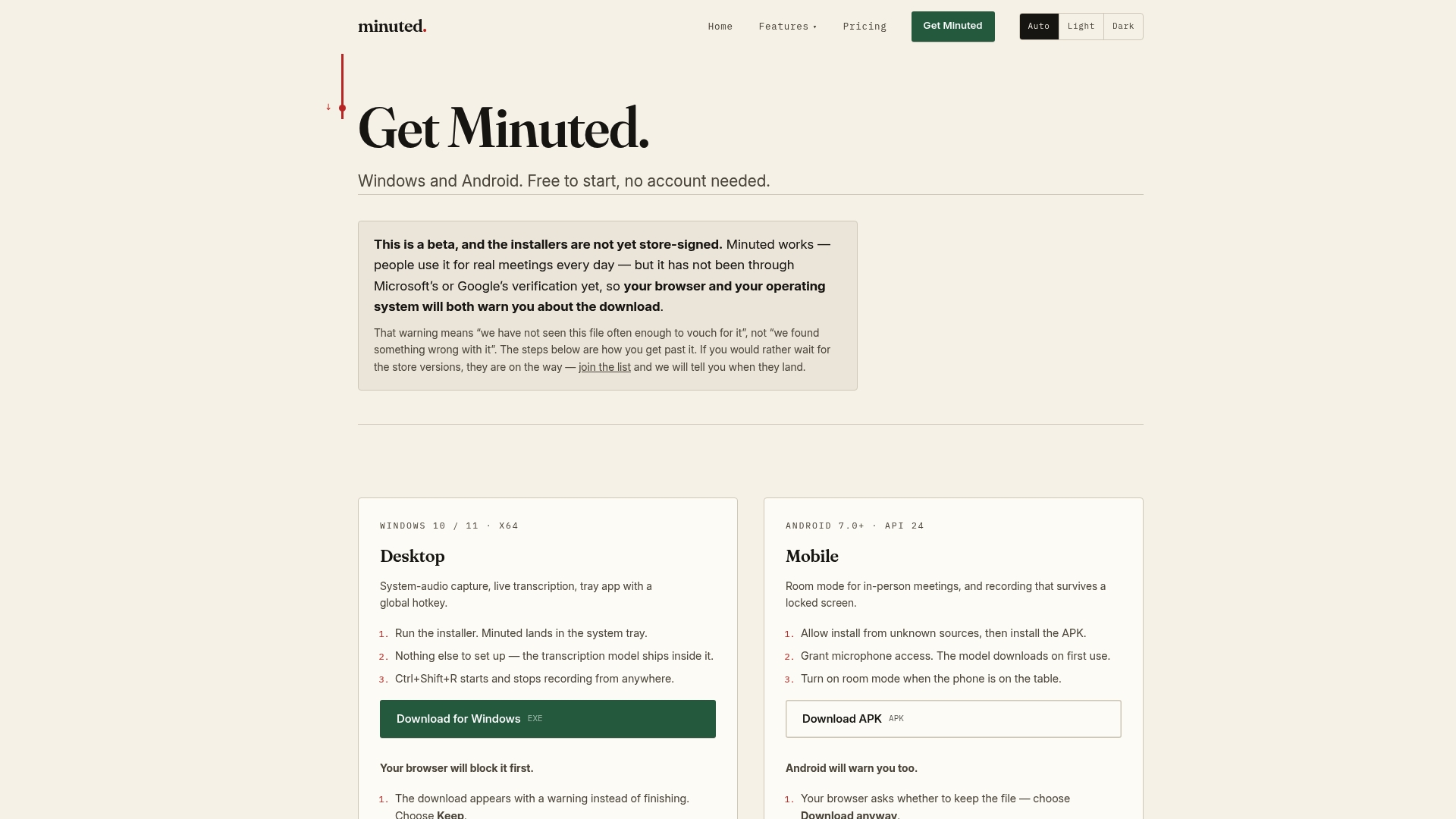
Because processing happens locally, nothing about what was said needs to leave your device unless you choose to send it, which matters for client calls, HR discussions, or anything else you'd rather not route through a third-party server. Calendar and task-app integrations carry action items straight into the tools your team already checks, so owners and deadlines don't get lost between the recap email and the actual work.
The free plan runs unlimited local transcription with no account needed. If you want expanded cloud minutes, integrations, and the full feature set, Pro starts at £10 a month or £110 billed yearly, and Ultimate runs £20 a month or £220 yearly. Try it on your next meeting and see how much of the recap writes itself before you've even opened your inbox.
Sources
The send-window and structure guidance above draws on workplace communication research from Zoom's guide to meeting summaries, practical templates from Indeed's career advice, and follow-up timing benchmarks from Koalendar. Readers weighing outsourced recap drafting may also find guidance on managing remote assistants useful for delegation workflows.
- How to write a meeting recap email | FluentAtDesk
- How to write a follow-up email after a meeting: Effective templates & examples | Koalendar
FAQ
How do you say a meeting recap professionally?
Call it a "recap" or "meeting summary" in the subject line, and open the email body with one line stating the meeting's purpose before listing decisions and action items. Avoid casual openers like "just wanted to quickly recap" and go straight to substance instead.
How do I start off a recap email?
Open with a single sentence of context naming the meeting and its purpose, then move straight into decisions. A one-sentence opener followed by bulleted items keeps recaps scannable and increases the odds people actually read to the end.
What do you call a recap of a meeting?
Most professionals use "meeting recap" or "meeting summary" interchangeably; both refer to the same short, outcome-focused document. It differs from "minutes," which is a more formal, sequential record typically required for governance purposes.
What should you write in an email when sending meeting minutes?
Keep the email itself brief: a one-line note explaining what's attached, followed by the key decisions pulled out as bullets so recipients don't have to open the full minutes to find what changed. Attach or link the full minutes document rather than pasting its entire contents into the email body.
What is the fastest way to draft a recap after a busy meeting?
Capture speaker-labelled shorthand during the meeting, then use an on-device transcription tool to generate a structured first draft of decisions and action items you can edit rather than write from scratch. Verifying owner names and dates before sending takes a couple of minutes and catches most errors.