
To produce formal minutes from a transcript, extract timestamped decisions and action items into a short template, then verify each entry against the original recording. Minutes are an edited, verified extract, not a copy of the transcript. The fastest reliable route runs: labelled transcript → pull decisions and actions → drop into a template → human check. Tools can generate the first draft; a person still signs it off.
TL;DR:
- Confirm transcripts include speaker labels and timestamps to avoid guesswork during decision and action item extraction.
- Use a five-pass process: prepare, generate AI drafts, structure, verify against source, and carefully archive both minutes and transcripts.
- Ensure minute templates consistently contain decision timestamps, direct quotes for contentious points, and clearly assigned owner and due date fields.
- Verify AI drafts thoroughly for invented owners, dropped negations, merged topics, and misheard names, especially with financial or legal details.
- Use privacy-focused tools with on-device transcription and automatic speaker labelling to speed up processes without exposing sensitive data.
Table of Contents
- Turning a meeting minutes transcript into a usable record
- A 15-minute checklist for turning transcripts into minutes
- The five-pass workflow for accurate minutes
- What a good minutes template actually contains
- Where AI drafts go wrong, and how to catch it
- Where Minuted fits in a privacy-first minutes workflow
- Speed without sign-off is a false economy
- Try Minuted for your next set of minutes
- Sources
Turning a meeting minutes transcript into a usable record
A transcript records everything that was said. Minutes record what matters. That distinction sits at the heart of every question about converting meeting minutes from transcript sources into something a team can act on.
A raw transcript is a wall of text, often with speaker labels like "Speaker 2" and no indication of which sentence carried a decision. Informal notes sit somewhere in between: personal, unstructured, useful to the note taker and nobody else. Microsoft's guidance on AI-assisted minute writing draws the same line between notes and minutes, treating minutes as the formal record intended for the whole organisation rather than a private aide memoire.
Minutes, properly written, are auditable. They name attendees, record who decided what, and assign owners with due dates. Anyone who missed the meeting should be able to read the minutes and know exactly what happened and what they need to do next. Getting from a transcript to that document is a summarising and editing task, not a copy-paste job.
A 15-minute checklist for turning transcripts into minutes
You do not need an hour to produce usable minutes. Follow this sequence and most meetings take under 15 minutes to document properly:
- Confirm the transcript has speaker labels and timestamps. Without both, verification later becomes guesswork.
- Scan for decision and action language. Phrases like "we'll go with", "agreed", "I'll take that", or "by Friday" mark the moments worth flagging, along with their timestamps.
- Populate your minutes template. Log each action item as Owner, task, due date, timestamp, leaving any field blank rather than guessing.
- Verify owners and key facts. Cross-check names, figures, and commitments against the audio or with the attendees themselves.
- File the minutes in your team's canonical location and attach the transcript as the archive copy.
That last step matters more than it sounds. Minutes are the summary; the transcript is the evidence behind it, and keeping both together protects you if a decision is ever disputed months later.
The five-pass workflow for accurate minutes
Treat transcript-to-minutes conversion as five distinct passes rather than one long slog. Trying to summarise, structure, and verify in a single read-through is how details get lost.
- Prepare the transcript. Rename generic "Speaker 1" labels to real names wherever you can, and confirm timestamps run throughout, not just at the start.
- Run an automated first pass. Paste the transcript into an AI tool or use a built-in export to generate a short executive summary, a list of decisions, and candidate action items. Microsoft's Word and Copilot workflow is one route; prompt-based tools that let you paste a transcript directly work similarly.
- Structure the output. Map the AI draft into your minutes template, adding the timestamp for each decision and a short direct quote wherever a line is likely to be contested later.
- Verify against the source. Spot-check every line involving money, ownership, or a due date by listening to that exact timestamp. Confirm any date the AI inferred rather than one an attendee actually stated.
- Deliver and track. Place the finished minutes in your shared drive and push action items into your team tracker, with the timestamp attached as supporting evidence.
Automation tools do the heavy lifting on passes two and three. Open-source systems such as the AWS sample meeting-minutes generator use a sequential, multi-agent pipeline: one stage extracts, another summarises, a third formats the output as text, audio or PDF. That pattern, extract then summarise then export, is worth copying even if you are working manually, because doing all three at once is where errors creep in.
Pro Tip: Run two independent AI passes on longer transcripts and merge the results rather than trusting one draft. A multi-pass, union-merge approach consistently catches decisions that a single pass misses, particularly in meetings with several speakers talking over each other.
Short transcripts need a different approach. Recordings under roughly 100 to 200 words often lack enough context for an AI tool to extract meaningful decisions, so a quick manual summary usually beats forcing an automated draft through a tool built for longer meetings.
What a good minutes template actually contains
Consistency is what makes minutes auditable across an organisation. A template with the same five blocks every time means anyone can scan a document from six months ago and find what they need in seconds.
- Header: meeting name, date and time, full attendee list, apologies from anyone expected but absent, and the stated purpose of the meeting.
- Executive summary: one to three sentences capturing the overall outcome, written so a reader who attended nothing else understands the meeting's result.
- Decisions: each decision with its timestamp, and a short direct quote attached to anything contentious or easily misquoted.
- Action items: formatted as Owner, task, due date, timestamp, with any unstated field left blank rather than filled with a guess.
- Open questions and parking-lot items: anything raised but not resolved, so it does not vanish between meetings.
That blank-field discipline is worth repeating: prompt packs built specifically for this task advise marking unclear information as "not stated" rather than inventing a plausible-sounding answer. An AI draft that fabricates a due date is more dangerous than one that leaves it empty, because a blank field gets noticed and a wrong one usually does not.
Where AI drafts go wrong, and how to catch it
AI-generated drafts are fast, but they fail in specific, predictable ways. Knowing the pattern makes verification quicker.
- Invented owners: the model assigns a task to whoever spoke most in that section, not whoever actually agreed to own it.
- Dropped negations: "we're not moving forward with X" can get summarised as a decision to proceed, because the negative gets lost in compression.
- Merged topics: two separate discussions on related subjects collapse into one, muddying which decision applies to which item.
- Misheard names: transcription errors turn "Sarah" into "Sara" or drop a surname entirely, which matters when the minutes assign her a task.
Verification should focus on exactly those failure points: confirm every owner by name, listen to the precise timestamp behind any figure involving money, and preserve the full transcript rather than editing it down, so an audit trail exists if anyone challenges a decision later. Numeric values in particular deserve a second listen. A practical transcript-to-minutes guide treats minutes as fundamentally an editing pass, not a generation task, and that framing is the safest one to hold onto.
Some content needs more than a spot-check. Anything touching legal exposure, financial commitments, or a board-level statement should get a line-by-line human read against the audio before it goes anywhere, no matter how confident the AI draft looks.
Where Minuted fits in a privacy-first minutes workflow
Verification overhead drops sharply when the underlying transcription tool is built for this task rather than repurposed for it. Minuted processes audio on-device, meaning the recording never leaves the room during the initial transcription pass, which matters for meetings covering client data, financial figures, or anything under a confidentiality obligation.
- On-device transcription keeps the audio local, which is worth knowing about before recording anything commercially sensitive, and Minuted's own breakdown of what leaves your device explains the distinction between local and cloud processing.
- Speaker labelling attaches names to lines automatically, which removes most of the "who said this" guesswork during the owner-verification step.
- Calendar and task integrations, including Todoist, monday.com, and Notion, mean action items can move straight from the draft into a tracker instead of sitting in a document nobody opens again.
- Multiple output formats, from local minutes to cloud-generated write-ups, let a team choose speed or privacy depending on the meeting, while the transcript itself remains the source record.
Pro Tip: Even with a purpose-built tool doing the drafting, treat the output as a first pass rather than a finished document. The owner and decision fields still need a human read against the timestamps before minutes go out.
Speed without sign-off is a false economy
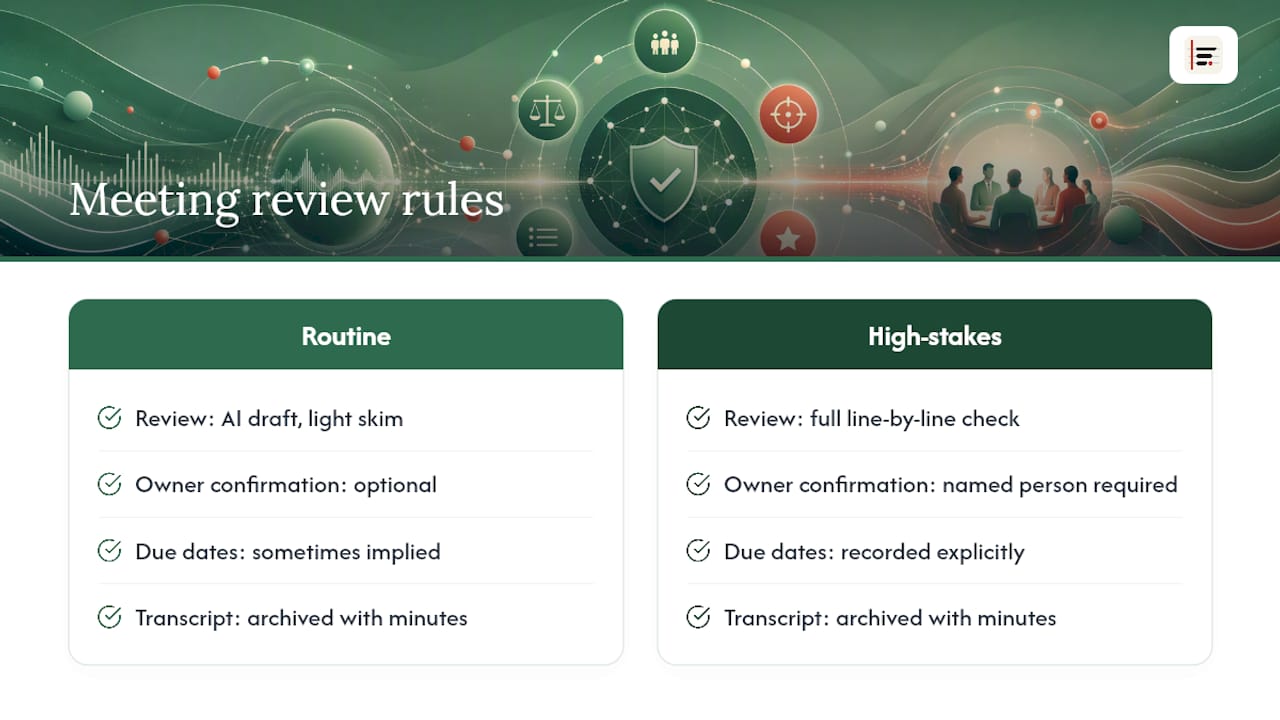
AI drafts have earned their place in this workflow, but only for the first ninety percent of the job. The moment a decision touches money, a legal position, or a personnel matter, I want a named human confirming it against the timestamp, not trusting that the model heard it correctly.
The teams that get this right do not treat every meeting the same way. Routine status updates can go out on an AI draft with a light skim. Anything with financial or contractual weight gets the full line-by-line check. What ties both cases together is a fixed rule set: owners get confirmed by name, due dates get recorded rather than implied, and the transcript gets archived alongside the minutes every time. A consistent template does more for a team's documentation quality than any single tool choice, because it means nobody has to relearn where to look for the decision log in someone else's meeting.
— James
Try Minuted for your next set of minutes
Some transcription tools offer on-device transcription, automatic speaker labelling, and calendar and task integrations that can speed up the workflow above from a fifteen-minute manual exercise into something closer to a five-minute review. Because audio can remain local during processing, it is possible to get a usable draft without sending sensitive meeting content to a third-party server first.
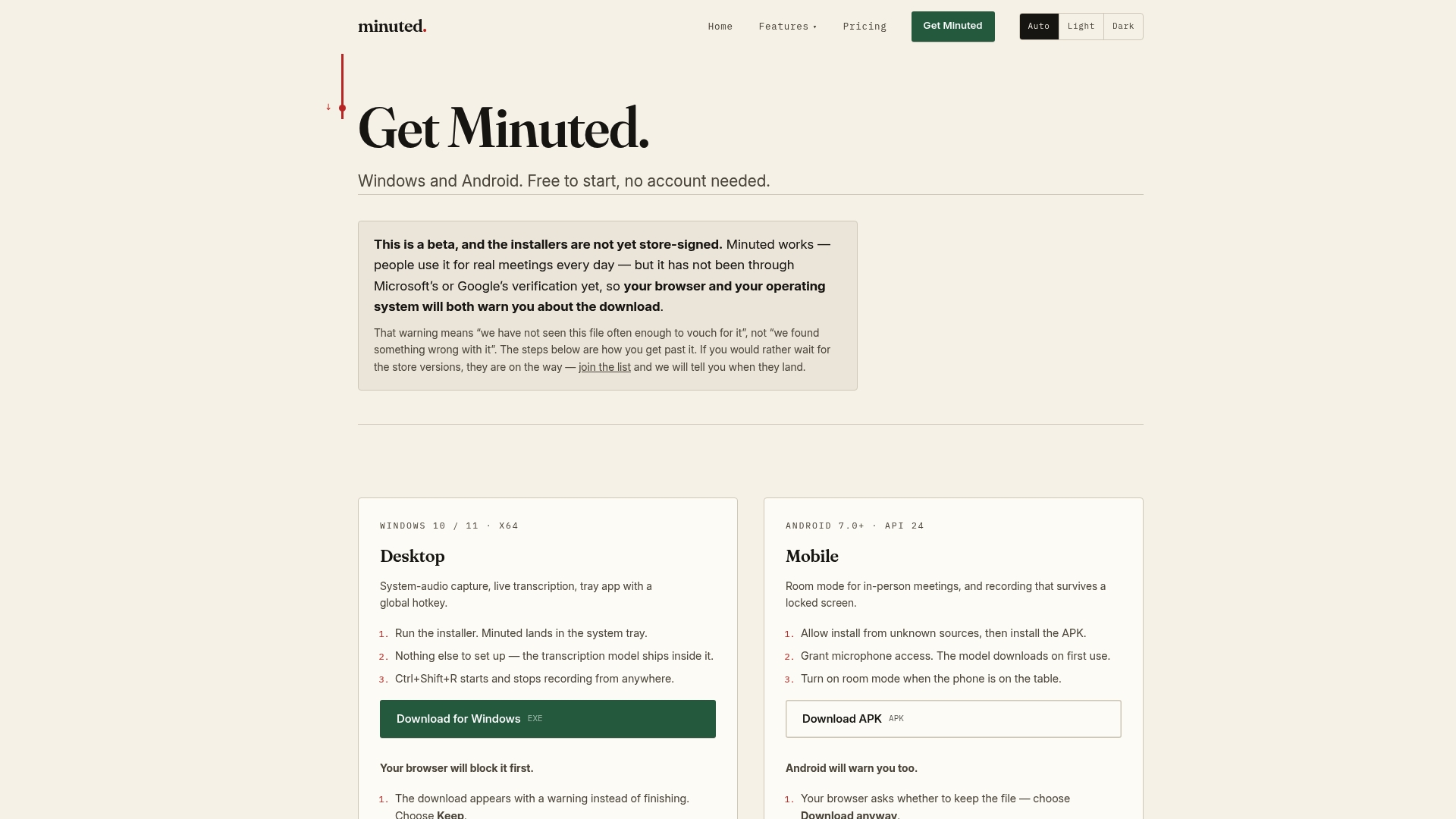
If your meetings involve client details, financial figures, or anything you would rather not upload, the in-person meeting notes feature is built specifically for that case, working fully offline with no internet connection required. For a full rundown of what the tool captures and exports, the features page covers the templates, integrations, and output formats in detail. Download transcription tools and run them against your next meeting to see how much of this checklist they handle before you even open your minutes template.
Sources
For readers who want to go deeper on any single step, three sources cover the technical and practical ground well:
- How to write and take meeting minutes with AI in Word
- How to Create Meeting Minutes from a Transcript (2026) | File Transcribe