
Approval must be explicit. It requires a named approver, a clear decision statement or action confirmation, and a reference such as an agenda item or transcript timestamp. Content approval (decisions, actions) should be separated from wording approval (grammar, tone), and teams should target a draft within 24 hours and final sign-off within a few business days.
TL;DR:
- Explicit approval requires a named individual, a clear decision statement, and supporting references, with separate reviews for content and wording.
- The approval process should follow five stages: drafting within 24 hours, self-check, owner review, limited feedback within 48 hours, and final lock with a consolidated change log.
- Using structured templates for decisions and action items, with timestamps and clear responsibilities, reduces ambiguity and speeds up approval.
- AI tools like Minuted enable on-device transcription with precise speaker labels and timestamps, linking decisions directly to exact transcript moments.
- Silence or lack of response should never be accepted as approval; explicit confirmation with deadlines and documented records prevent disputes.
Table of Contents
- What does meeting minutes approval actually require?
- Building a minutes template that speeds up sign-off
- How does an AI pipeline turn a transcript into approvable minutes?
- Who should own approval, and how fast should it move?
- What legal or compliance considerations apply to minutes approval?
- Why silence should never count as approval
- How Minuted helps: privacy-first transcription and faster approvals
- Sources
- FAQ
What does meeting minutes approval actually require?
Meeting minutes approval is not a formality tacked onto the end of a document. It is a specific record: someone with authority confirms that the written account of decisions and actions matches what happened, and that confirmation is logged, not assumed.
That distinction sounds obvious until you look at how most teams actually handle it. Minutes get circulated, nobody replies within a week, and someone declares them "approved" because silence didn't produce an objection. Legal and project management guidance is clear that treating no response as approval is risky; it invites disputes later when someone claims they never agreed to a deadline or a budget line they supposedly signed off on.
The workflow: draft, check, review, approve, lock
A repeatable approval process needs five stages, each with its own owner and deadline.
- Draft within 24 hours. Use a standard template and attach transcript references wherever a decision, figure, or commitment is stated. Waiting longer than a day means details fade and the transcript becomes the only reliable memory in the room.
- Run QA gates. The writer does a five-minute self-check against the transcript. For high-stakes meetings (budget approvals, contract terms, personnel decisions), add a peer check before it reaches the meeting owner.
- Owner-led content review. The meeting lead checks that decisions and actions are correctly captured before it goes any further.
- Send to a limited reviewer list with a 48-hour window. Wide distribution invites scope creep and conflicting edits; keep the list to people who were actually in the room or directly affected by a decision. Any substantive correction must come with a supporting reference, whether that's a slide, an agenda item, or a transcript timestamp. This draft-to-final structure, including the 48-hour content review window, mirrors the approach recommended in GoTranscript's review and approval workflow.
- Consolidate, resolve, lock. Gather all comments in one place rather than scattered email threads. If two reviewers disagree, a short call resolves it faster than a week of back-and-forth. Once resolved, lock the final version and archive it with a change log entry.
Pro Tip: Keep a single "master" document for each meeting and treat every other copy as disposable. The moment minutes exist in three inboxes and two shared drives, someone will approve the wrong version.
Separating content review from wording review saves real time. A reviewer checking whether a $50,000 budget line was actually approved shouldn't also be proofreading commas, and mixing the two slows both processes down.
Building a minutes template that speeds up sign-off
A well-structured template does more work than any reminder email. It should split into three parts: decisions, action items, and pending items, each written so an approver can confirm it in seconds rather than interpret it.
Decisions should read as single, explicit sentences: what was approved, by whom, and from what date it takes effect. "The team discussed the new vendor" is not a decision. "James approved the switch to the new vendor, effective 1 March 2026" is. Templates that follow this structure consistently reduce back-and-forth because there's nothing ambiguous left to query.
Action items need four fields every time: task, owner, due date, and status. A fifth field, a supporting quote or timestamp, matters more than it sounds. When an action item gets disputed weeks later, the timestamp settles it in seconds instead of triggering a memory contest.
Before sending minutes out for approval, run through a short checklist:
- Every decision is written as an explicit statement, not a summary of discussion.
- Every action item should include both an owner and a deadline to ensure accountability.
- Any uncertain or unclear field is flagged
[VERIFY]rather than guessed at. - Disputed or high-risk items carry a transcript timestamp as evidence.
- The final version includes a version name and a change log entry.
Reading decisions back during the meeting itself, so participants confirm them out loud before the minutes are even drafted, removes most ambiguity before it starts. Guidance on structured minutes recommends recording a decision only when an explicit "yes" was given, not when the room simply moved on.
A short, defined minor-corrections window after final publication, typically 5 to 10 business days for typos and formatting only, keeps the locked record intact while still allowing genuine small fixes.
How does an AI pipeline turn a transcript into approvable minutes?
Raw transcripts are not minutes. They're a wall of text with false starts, crosstalk, and tangents, and turning that into something an approver can sign off on in two minutes requires a staged pipeline rather than a single "summarise this" prompt.
- Capture and import. The audio or transcript enters the system, ideally with speaker labels attached from the start.
- Preprocessing. Clean filler words, false starts, and crosstalk without losing the substance of what was said.
- Segmentation. Break the transcript into logical blocks: agenda items, discussion threads, decision points.
- Extraction. This is where most tools fail if they try to do everything in one pass. Run separate extraction passes for decisions, action items, risks, and open questions, each requiring a supporting quote. A recommended pipeline for this runs capture, clean, segment, extract, compose, and quality check as distinct stages, precisely so errors are traceable to a specific step rather than buried in one large output.
- Composition. Assemble the extracted items into the three-part structure: decisions, actions, pending items.
- Quality check and routing. Apply fixed rules before anything reaches an approver.
Pro Tip: Use a fixed output schema with consistent fields like meeting title, date, participants, key decisions, action items, and open questions, so the same structure comes out every time regardless of who ran the meeting. Consistent structure is what lets a reviewer scan a document in ninety seconds instead of reading it top to bottom.
Four quality rules matter more than any others. First, a decision-versus-discussion rule: if the transcript shows debate without a clear resolution, it's flagged as pending, not recorded as decided. Second, a missing-owner rule: no action item without a named owner reaches the final draft. Third, timestamp verification on anything substantive. Fourth, a redaction policy for sensitive material before it's shared beyond the room, followed by a brief human validation step before anything gets published. AI-generated notes work best when uncertain items are left empty and flagged for human review rather than filled in with a plausible guess.
Who should own approval, and how fast should it move?
Clear roles prevent the two most common failure modes: minutes that never get approved because nobody feels responsible, and minutes that get approved by someone who wasn't actually in the meeting.
- Minutes Owner. Drafts the document, consolidates comments from reviewers, and manages version history and the final archive.
- Chair or meeting lead. Acts as the restricted content approver, confirming decisions and any major changes before the document moves further.
- Decision owners. Confirm only the items they're directly responsible for. They shouldn't be asked to approve the whole document, only their slice of it.
- Editors. Handle wording-only passes after content is locked, never before.
Realistic timelines keep this predictable rather than aspirational: publish the draft quickly, complete content review in a short window, and finalise within a few business days. A defined minor-corrections window of roughly 5 to 10 business days handles the inevitable small fixes without reopening the whole approval process. Teams that standardise this pipeline with clear checkpoints and an archive owner report fewer disputes and more predictable turnaround.
What legal or compliance considerations apply to minutes approval?
Minutes carry weight beyond the meeting room. In regulated industries, disputes, audits, and employment matters, an approved set of minutes can function as evidence of what was agreed and when. That raises the stakes on getting the approval process right.
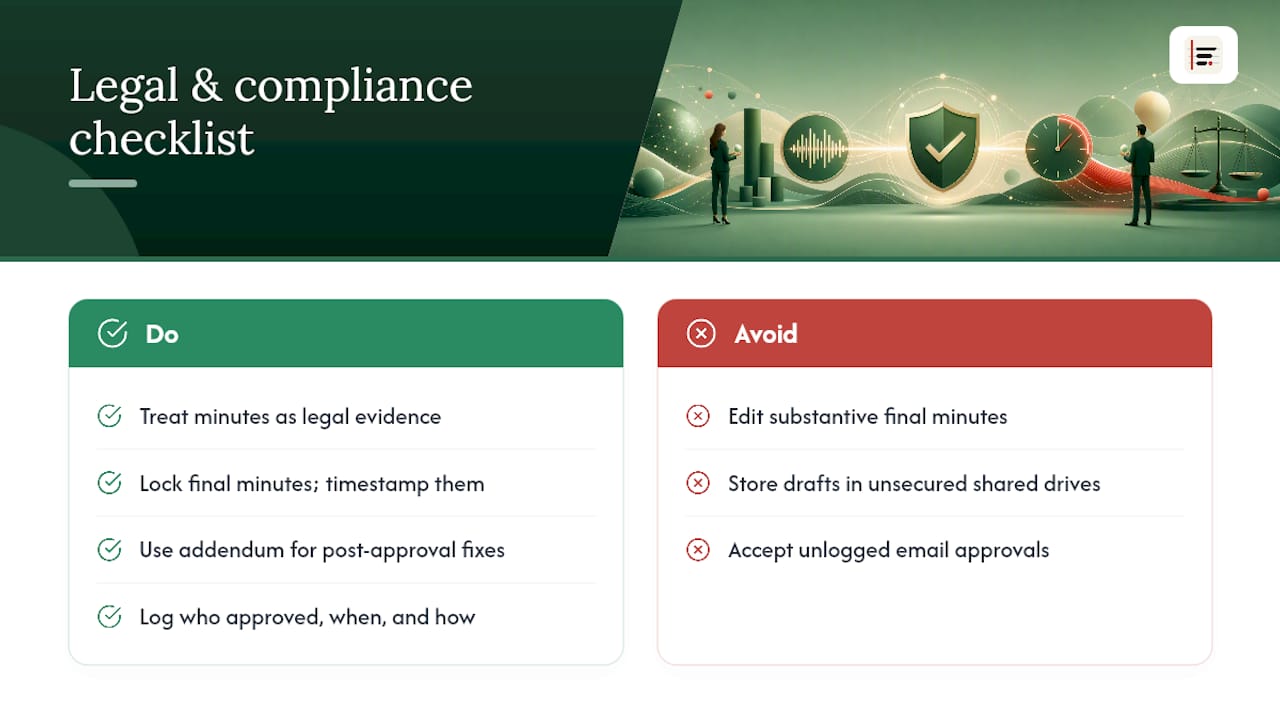
Retention matters as much as accuracy. Once minutes are finalised and locked, don't quietly edit the substantive content afterwards. If something genuinely needs correcting after the fact, use an addendum or errata note rather than altering the original, so the record of what was approved, and when, stays intact. This preserves the integrity of the locked final document if it's ever reviewed later.
Access control deserves equal attention, particularly where minutes reference personnel matters, financial terms, or client-confidential material. Limiting who can view, comment on, or edit a draft before it's approved isn't bureaucracy; it's what keeps sensitive discussions from leaking into shared drives with no access restrictions.
Approval events themselves should be logged: who approved, when, and by what method (a written reply, a click-to-approve action, a signature). This matters most when a decision is later disputed and someone needs to show it was genuinely confirmed rather than assumed. Recording who confirmed a decision or action, and preferring a logged decision trail over an email chain that gets deleted, is a practice worth borrowing from decision-audit tools such as Betlog, which exists specifically to keep a durable record of what was decided and why.
None of this replaces legal advice for genuinely high-stakes matters, employment disputes, regulatory filings, contract disputes, but the baseline habit of explicit, timestamped, logged approval reduces most everyday risk before it becomes a legal question at all.
Why silence should never count as approval
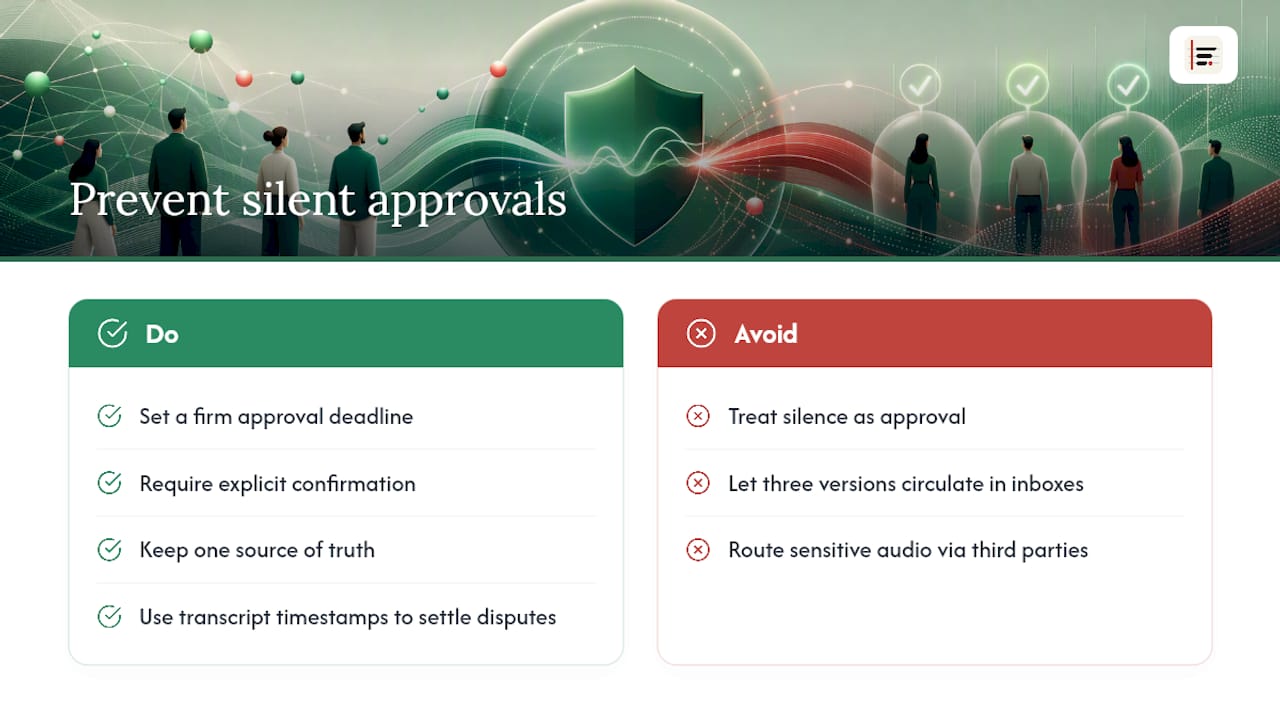
The single biggest failure mode in minutes approval isn't inaccuracy. It's ambiguity about whether approval happened at all. Teams send a draft, wait a week, hear nothing, and treat the silence as a green light. That habit works fine until someone disputes a decision months later and there's no record of anyone actually confirming it.
The fix isn't complicated: set a firm deadline, require explicit confirmation, and keep a single source of truth rather than letting three versions circulate in different inboxes. When disputes do arise, a transcript timestamp settles them faster than any amount of recollection. And where a meeting touches sensitive material, personnel issues, unreleased financials, client-confidential terms, favour tools that keep processing local and access tightly controlled rather than routing audio through third-party servers by default.
— James
How Minuted helps: privacy-first transcription and faster approvals
Every stage of the approval workflow above depends on evidence: a timestamp, a speaker label, a supporting quote. Minuted builds that evidence in automatically rather than leaving reviewers to hunt for it after the fact.
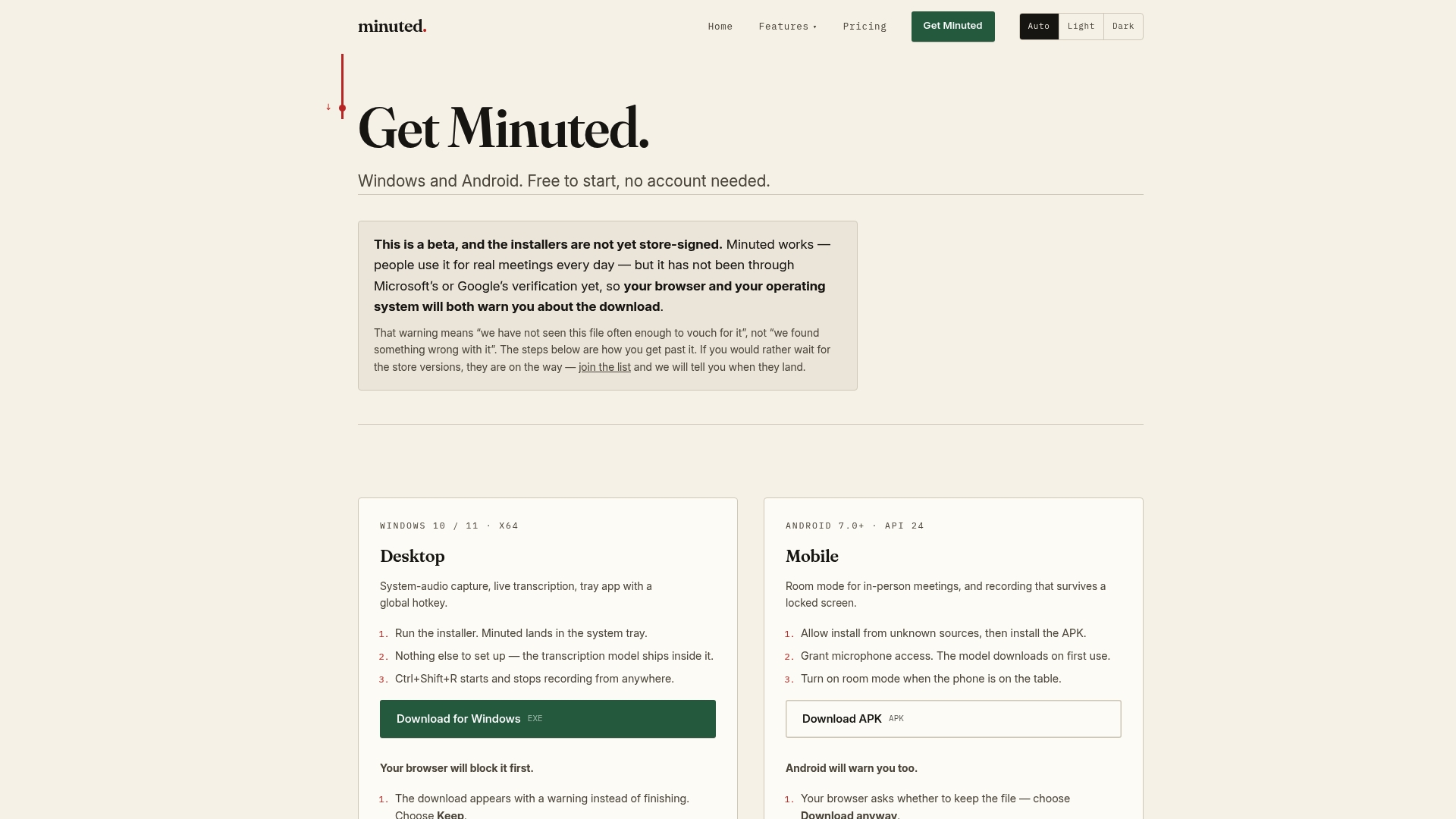
Because some transcription tools transcribe on-device, sensitive discussion, personnel matters, contract terms, and unreleased figures never have to leave the room to become a written draft. That removes the redaction headache before it starts and speeds up how quickly a draft can be created and shared for in-person meetings. Speaker labelling and precise timestamps mean every decision and action item can be linked straight back to the exact moment it was said, which is exactly what a reviewer needs when a substantive correction requires supporting evidence. Calendar and task integrations with some productivity tools can let action items route directly to their owners the moment minutes are drafted, cutting out the manual copy-paste step that usually delays resolution loops. For teams weighing how much processing should happen locally versus in the cloud, it's worth comparing what actually leaves your device before choosing a tool. Start by downloading Minuted and running your next meeting through it before the minutes even hit a reviewer's inbox.
Sources
- AI meeting notes automation — Digital Insight
- Meeting minutes review & approval process — GoTranscript
- Project management meeting minutes template and action items — LegalClarity
FAQ
How Long Should Meeting Minutes Approval Take?
Draft the minutes within 24 hours, complete content review within 48 hours, and aim for final sign-off within 3 to 5 business days for most meetings.
Can Silence Count as Approval of Meeting Minutes?
No. Treating no response as approval is a common and risky practice; require explicit confirmation and set a firm response deadline instead.
What's the Difference Between Content Approval and Wording Approval?
Content approval confirms that decisions, actions, and deadlines are accurate; wording approval covers grammar and tone. The two should be reviewed separately to avoid rework.
Do Action Items Need an Owner and a Deadline?
Yes, every action item should include both a named owner and a due date, along with a status and, where possible, a supporting transcript reference.
How Does AI Transcription Help With Minutes Approval?
Tools like Minuted transcribe on-device and label speakers with timestamps, which gives approvers direct evidence for every decision and action item without exposing sensitive audio to third-party servers.