

Meeting minutes are the official record of what a group decided and who must act on it, not a transcript of everything said. The single rule that determines whether minutes get used or ignored: every decision needs an action item, and every action item needs an owner and a due date. Get that formula right, use a template, and circulate the draft promptly, ideally within a day, and the minutes will actually work.
TL;DR:
- Meeting minutes must include clear action items with assigned owners and due dates to be effective and prevent unfinished tasks.
- Recording decisions as neutral, concise statements and attributing dissent explicitly ensures legal and operational clarity.
- Preparing a structured template and pre-filled details before the meeting speeds up note-taking and reduces errors.
- Circulating accurate draft minutes within 24 to 48 hours increases the likelihood of follow-through and maintains record integrity.
- Modern tools like AI transcription and task integration streamline the process but still rely on human review for accuracy and completeness.
Table of Contents
- Why meeting minutes matter
- What to include in minutes (exact checklist and phrasing)
- Before the meeting: set up a template and pre-fill the essentials
- During the meeting: what to capture and how to capture it
- After the meeting: finalise, distribute and file the minutes
- Templates and a short example you can copy
- Common mistakes and a best-practice checklist
- How modern tools (and Minuted) fit the process
- Tips for dealing with interruptions and managing speaking order during the meeting
- Author perspective: one change that improves meetings every time
- Get accurate minutes without the manual write-up
- Sources
Why meeting minutes matter
Minutes exist to do a job, not to satisfy a filing habit. They function as governance and operational records, and in formal settings, such as board meetings, they can serve as legal evidence of what was discussed, decided and approved. The Harvard Law School Forum on Corporate Governance notes that well-drafted board minutes protect directors precisely because they record motions, votes and dissents with precision, rather than vague impressions of the room.
For everyday team meetings, the stakes are lower but the logic holds. Concise, promptly circulated minutes stop the same argument happening twice and give managers a paper trail when someone asks "who agreed to this?" three weeks later.
A few practical points worth building into your habits early:
- Minutes typically become an official record only after they are approved, usually at the start of the next meeting.
- Until approval, mark the document clearly as a draft.
- Store approved minutes securely and consistently, whether in a shared drive, a governance portal, or a document management system.
- Retention periods vary by organisation and jurisdiction, so check local policy for formal bodies.
Documenting the reasoning behind a decision, not just the outcome, also has value beyond compliance. It is the same instinct behind tools that log the logic of a decision so it can be reviewed later, rather than relying on memory.
What to include in minutes (exact checklist and phrasing)
Good minutes follow a predictable structure, which is exactly why they are quick to write once you have a template. The Gov sets out the standard header fields and structure that most organisations, formal or informal, still follow.
Pro Tip: Keep a running "decisions and actions" box at the top of your notes during the meeting. It's the section people actually read, and it means you're never scrambling to extract actions from a wall of text afterwards.
Here is the field-by-field breakdown:
- Meeting name, date, time, and location or platform. Include the video-call link or room name; this matters more than it sounds when minutes get referenced months later.
- Attendance. List attendees and absentees by name and role. Note quorum where relevant, particularly for committees or boards with a minimum-attendance rule.
- Agenda items. For each item, write one line of context (why this was discussed), the decision reached, and any resulting actions.
- Decisions and votes. Where a formal vote occurred, record the exact motion wording, who moved it, who seconded it, and the result (for, against, abstain). This level of detail is what the Companies Act's board-meeting provisions implicitly expect from statutory minutes.
- Action items. Use a fixed formula: Action, Owner, Due Date. Nothing vaguer than that.
- Next meeting and attachments. Note the date of the next meeting and reference (rather than paste in full) any supporting documents.
The action-item formula deserves its own emphasis because it is the single highest-leverage habit in this entire guide. Science of People's guidance on writing meeting minutes recommends the format "Action: [verb phrase]; Owner: [name]; Due: [date]" and treats any item missing an owner as effectively not actionable. An action item that reads "follow up on supplier contract" is a wish. One that reads "Action: send revised supplier contract to legal; Owner: Priya; Due: 14 March" is a task someone can be held to.
One more phrasing habit worth adopting: write decisions as short, neutral, factual statements ("The team agreed to delay the launch to April") rather than narrating the debate that got you there. Save context for a single sentence where the reasoning genuinely matters for future readers.
Before the meeting: set up a template and pre-fill the essentials
The best minute-takers do most of their work before anyone sits down. Preparation is what turns minute-taking from a stressful scramble into a fairly mechanical exercise.
Start by pasting the agenda directly into your minutes template, so the structure of the document mirrors the structure of the meeting. Pre-fill the header, including the expected date, time, platform and attendee list, so you are not typing basic details while people are already talking.
Decide your capture method in advance:
- If you are recording audio, confirm you have consent from attendees before the meeting starts, not halfway through.
- Choose whether you will type live, use shorthand on paper, or rely on a transcription tool as backup.
- Confirm who is formally the minute-taker; in committees and boards, this is often a defined role with its own approval workflow.
- Check whether your organisation follows formal procedural rules, such as Robert's Rules of Order, that dictate how motions and votes must be minuted.
Prepare a short list of abbreviations for names and recurring terms, and set up a simple attendance sheet you can tick off as people join. Lindy's guide to meeting minutes makes the point that pre-filling attendance and checking names off in the first couple of minutes prevents a surprisingly common error: misrecording who was actually in the room.
Pro Tip: If the meeting has a formal agenda circulated in advance, copy the item titles verbatim into your template. It keeps your minutes aligned with what was actually planned, and it makes any departures from the agenda easy to spot and note.
During the meeting: what to capture and how to capture it
Once the meeting starts, your job narrows considerably. You are not transcribing the conversation. You are filtering it for three things: decisions, actions, and votes, plus enough context that a decision makes sense to someone reading it later.
- Capture decisions the moment they are made. Don't wait for the discussion to fully wrap up; write the decision as soon as the room settles on it, in a single factual sentence.
- Capture actions with owner and due date immediately. If someone says "I'll handle that", stop and ask who and by when, if it isn't already obvious. This is the moment where vague actions get created, and it is the easiest moment to prevent it.
- Note votes precisely. Record the motion wording, mover, seconder and result. For board and committee meetings, this precision is what gives minutes their evidentiary value, as the Harvard Law School Forum points out.
- Attribute comments only when necessary. Most discussion doesn't need a name attached. Attribute a comment when it represents a formal position, a dissent, or a decision someone is accountable for.
- Note dissent explicitly where it occurs. If someone formally objects to a decision or a vote, record that a dissent was raised, ideally in their own brief words, rather than smoothing it over.
Ask for clarification in the moment rather than guessing afterwards. If two people seem to reach different conclusions about what was just agreed, it is far better to interrupt gently and ask "just to confirm, are we saying X or Y?" than to write down your best guess and hope it holds up later.
Live-entry habits make a real difference to speed and accuracy. Use the agenda headings as your document's own headings, so you are filling in a structure rather than starting from a blank page for each item. Highlight or bold action items as you type them, so they are visually distinct and easy to extract afterwards. Develop your own shorthand for recurring phrases, department names, or people who speak often.
Pro Tip: When a discussion runs long without a clear decision, write "No decision reached; to be revisited [date/next meeting]" rather than leaving a gap. A missing line looks like an oversight; a documented non-decision looks like control.
If you are using a recording as backup, treat it as raw material rather than the finished product. A recording tells you what was said; your job is still to work out what mattered, exactly the distinction that separates useful minutes from a verbatim wall of text nobody will read.
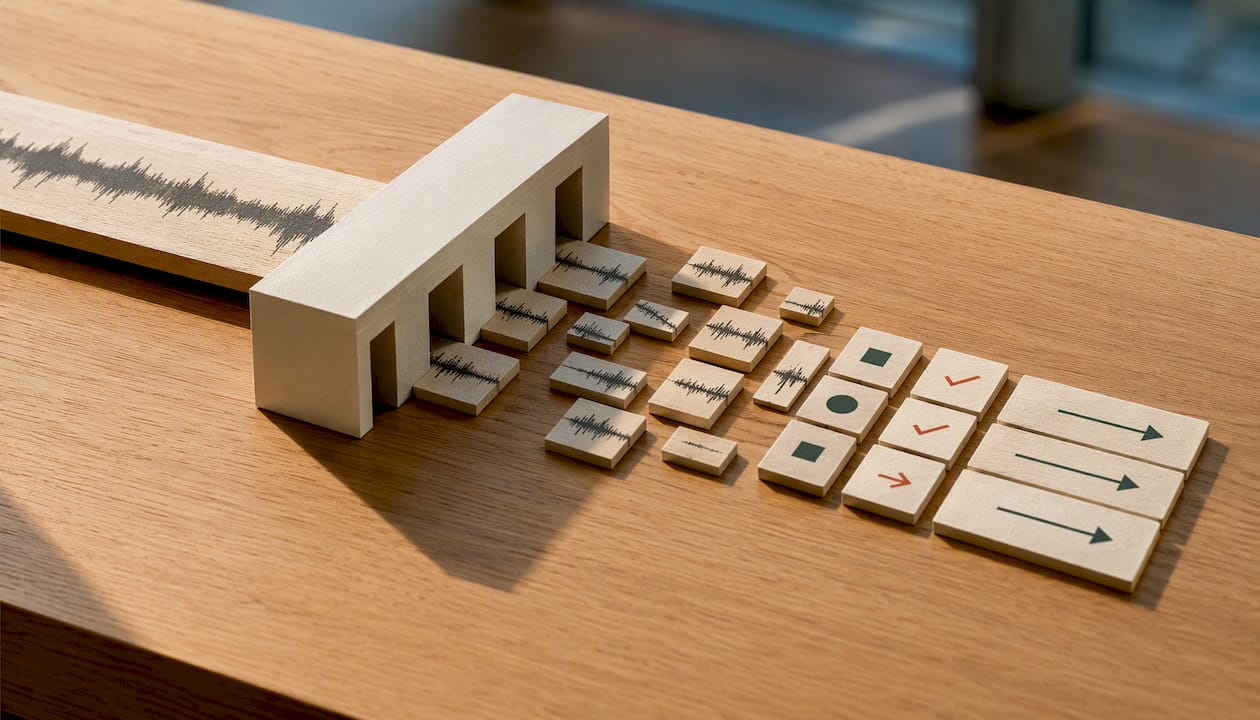
After the meeting: finalise, distribute and file the minutes
The gap between a meeting ending and minutes landing in inboxes is where most minute-taking efforts quietly fail. Momentum drops fast, and so does anyone's willingness to read three pages of notes a week later.
Clean up your notes immediately after the meeting, while the context is still fresh in your memory, and send a draft within 24 to 48 hours. This isn't an arbitrary courtesy deadline: multiple practitioner guides, including Slite's meeting minutes guide, converge on same-day or next-day circulation as the point past which accuracy and follow-through both start to drop off.
A short post-meeting checklist:
- Tidy language and structure, but don't rewrite the substance of what was decided.
- Attach or link to source documents (proposals, budgets, slide decks) rather than retyping their content into the minutes.
- If your organisation requires approval, such as most boards and committees, send the draft to the chair for review before wider circulation, and note the approval (and date) once it happens.
- Export or manually enter action items into your team's task tracker so they exist somewhere people actually check daily.
- File the finalised minutes in a consistent, secure location, following whatever retention policy applies to your organisation.
The action-item export step is easy to skip and costly to skip. An action item that lives only inside a minutes document, which nobody reopens until the next meeting, has a much lower chance of getting done than one sitting in a task list with a due date and a notification attached.
Templates and a short example you can copy
A one-page template removes almost all the friction from minute-taking, because you are filling gaps rather than designing a document from scratch every time.
The core fields, and what each one does:
- Header (meeting name, date, time, location/platform): identifies the record at a glance.
- Attendees/Absentees: establishes who was present for which decisions.
- Agenda item + context: one line explaining why the topic came up.
- Decision: a single factual sentence stating what was agreed.
- Action items: Action, Owner, Due Date, formatted identically every time.
- Next meeting/attachments: keeps the thread connecting one meeting to the next.
Here's how that looks in practice:
| Field | Example entry |
|---|---|
| Agenda item | Q2 marketing budget review |
| Context | Spend is over forecast for Q1 |
| Decision | Budget approved with a 5% contingency reduction for Q2 |
| Action | Revise Q2 budget spreadsheet |
| Owner | Marcus |
| Due date | 14 March |
Adapting this for board meetings means adding motion wording, mover/seconder, and vote results per the Companies Act's requirements for formal minutes. For informal team meetings, you can drop the voting fields entirely and keep just decisions and actions.
Common mistakes and a best-practice checklist
The same handful of errors show up in weak minutes again and again: transcribing full conversations instead of decisions, writing action items with no named owner, sending drafts a week late once nobody remembers the detail, and blending personal opinion with what was actually agreed.
A short checklist to keep minutes consistently useful:
- Write decisions as neutral, factual statements, not narrated debate.
- Use the Action, Owner, Due Date formula every single time, without exception.
- Circulate drafts promptly, ideally within 24 hours, to maintain accuracy and follow-through.
- Attach or link source documents instead of retyping them.
- Keep language neutral, and attribute opinion or dissent only when it matters.
If someone disputes the accuracy of a minute after circulation, don't quietly edit the original. Note the correction as an addendum, dated and attributed, so the record shows what changed and why.
How modern tools (and Minuted) fit the process
AI-generated drafts speed up minute-taking considerably, but a recording or auto-transcript is raw material, not a finished minute. As Slite's analysis of AI notetakers puts it, these tools are genuinely useful when they surface decisions and actions rather than reproducing every word spoken, and human review is still what turns a rough draft into something people trust.
This is where a tool built specifically for the job speeds up each stage without changing the underlying discipline. Minuted processes audio on-device, labels speakers automatically, and syncs with calendar and task apps, which shortens all three phases of the workflow covered here: a pre-filled draft ready before the meeting starts, live transcription support during in-person sessions, and action items that can be pushed straight into a tracker afterwards rather than retyped by hand.
Tips for dealing with interruptions and managing speaking order during the meeting
Minute-takers often struggle less with writing and more with the chaos of who's actually talking. A few habits help.
When several people speak at once, don't try to capture all of it. Wait a beat, then ask, "sorry, who's speaking first?" This isn't rude; it is exactly the kind of intervention a minute-taker is expected to make, because accurate attribution matters more than keeping the conversation moving at full speed.
If the chair isn't actively managing speaking order, it often falls to the minute-taker to note who raised their hand first, particularly in larger or more formal meetings. A simple mental queue (or a jotted list of names in order) is usually enough.
When a decision gets made mid-interruption, buried inside cross-talk, stop and confirm it aloud: "just to check, are we agreeing to push this to next month?" This single habit catches more recording errors than any amount of fast typing.
For meetings prone to talking over each other, agree a simple convention in advance, such as raising a hand or using a chat function on video calls, and note in the minutes when that convention breaks down repeatedly. It's a useful signal for whoever runs the next meeting, not just a footnote.
Don't try to minute interruptions themselves unless they represent a substantive objection or dissent. Most crosstalk is noise; the decision that eventually emerges from it is the only part worth recording.
Author perspective: one change that improves meetings every time
Most meetings don't fail because of bad notes. They fail because an action item gets written down with no name attached, and three weeks later nobody remembers whose job it was. Polished prose in a minutes document has almost no relationship to whether anything actually gets done afterwards.
If you take one thing from this guide, make it this: never let an action item leave the room without an owner and a date attached. Not "the team will look into it." A name, a task, a deadline. Everything else, formatting, phrasing, even template choice, is secondary to that single discipline.
— James
Get accurate minutes without the manual write-up
Certain tools can turn meeting audio or shorthand notes into structured minutes on-device, so nothing leaves your machine while processing speaker-labelled transcripts and clean action items. That matters most for the workflow this guide just walked through: instead of typing live and cleaning up notes for an hour afterwards, you get a draft ready to verify almost immediately, with decisions and actions already separated from general discussion.
These tools often plug directly into the after-meeting steps that determine whether minutes get used. Calendar sync can pull in meeting details automatically, and integrations with task management tools can allow action items to move from draft minutes into task lists without retyping. For a full breakdown of what data stays local versus what can move to the cloud, the notetaker privacy comparison is worth reading before you commit to any tool. If you want to see the full feature set, including speaker labelling and calendar integrations, Minuted's features page covers it in detail, or you can download Minuted and try it on your next meeting.
Sources
- Guide to taking minutes
- How to write meeting minutes (Science of People)
- How to Write Meeting Minutes in 2026 (Slite)
- The angels in the details: the importance of well-drafted board minutes
- Legislation