
Yes, meeting audio can become concise, actionable minutes: transcribe the recording, extract decisions and action items, structure the result, and run a short human check before circulating it. The output should give you speaker labels, timestamps, named owners, and deadlines. Budget a brief review window, because no transcription system catches every misattributed commitment on its own.
TL;DR:
- High-quality microphones and encouraging clear, single-speaker turns significantly improve transcription accuracy before recording begins.
- Human review remains essential to correct misattributions, especially for action items and decisions, within two to four hours of the meeting.
- On-device processing enhances privacy, ideal for confidential discussions and unreliable network environments, with strict data deletion policies.
- Automated minutes should include speaker labels, timestamps, decisions, action items with owners and due dates, and next-meeting details, mapped to standard structure.
- Small checklist and immediate review prevent errors like misattributed commitments, saving time compared to neglecting post-meeting human verification.
Table of Contents
- How to convert audio to minutes step by step
- What does AI-generated minutes output actually look like?
- What improves transcription accuracy before you even hit record?
- How much human review do AI minutes actually need?
- Is it safe to process meeting audio with an AI tool?
- Why an on-device approach fits this workflow better for many teams
- Why the accuracy conversation misses the point
- Try converting one meeting with Minuted
- Sources
- FAQ
How to convert audio to minutes step by step
Converting audio to minutes is a five-stage workflow, and skipping the preparation stage is where most teams lose accuracy before the recording even starts.
- Prepare before the meeting. Open your minutes template and pre-fill the date, attendee list, and agenda items. Placeholder rows for decisions and action items mean you are filling gaps during the meeting rather than writing from scratch afterwards, a technique that reduces post-meeting editing time considerably.
- Record or gather the audio. Decide upfront whether you want live transcription running during the meeting or a single audio file uploaded afterwards. Either works, but live transcription with speaker labelling turned on gives the diarization engine more context to work with as people speak.
- Transcribe the recording. Upload the file or let an on-device tool transcribe in real time. Built-in options exist too. Microsoft Word, for instance, includes a transcription feature for users on the relevant subscription, though it produces a raw transcript rather than structured minutes, so you still need a summarisation step afterwards.
- Summarise and extract. A capable audio to text converter should auto-detect decisions, pull action items with named owners and deadlines, and generate a short summary per agenda item rather than one undifferentiated block of text.
- Structure, export, and distribute. Populate your minutes template, attach transcript snippets against disputed items for verification, then export to PDF or Docs. Push action items straight into your task manager rather than retyping them.
Once minutes are finalised, circulate them within a day while the meeting is still fresh in people's minds, and store them somewhere searchable, whether that is a shared drive, a wiki, or your project management tool's document section.
What does AI-generated minutes output actually look like?
A useful set of minutes covers meeting basics, decisions, action items with named owners and due dates, and next-meeting details, according to standard secretarial guidance. Automated tools should map to that same structure rather than inventing their own format.
Expect to see:
- A full transcript with timestamps, and where the tool supports it, speaker labels and click-to-play audio links against each line
- A one-line summary per agenda item, paired with a clear decision statement and a sentence of discussion context
- Action items written in a consistent formula: verb + task + owner + deadline (for example, "Draft the client proposal, Sarah, by Friday")
- Export options to Docs or PDF, plus integration points that push tasks into Todoist, Notion, or a calendar entry for follow-up
Pro Tip: Check whether your tool lets you jump straight to the audio moment behind a disputed action item. That single feature saves more argument than any amount of careful wording.
What improves transcription accuracy before you even hit record?
Audio quality and conversation structure determine how reliable your transcript will be. Spontaneous speech, background noise, reverberation, and overlapping speech are the core sources of error in any automated transcription pipeline, and no amount of post-processing fully corrects for a badly captured recording.
A few habits make a measurable difference:
- Use close mics, lapel mics, or a boundary mic on the table rather than relying on a laptop's built-in microphone across a large room
- Reduce reverberation and background noise where you can. A carpeted room with soft furnishings transcribes noticeably better than a bare conference room with hard walls
- Encourage single-speaker turns, and ask people to verbalise decisions and deadlines explicitly ("so the deadline is next Wednesday") rather than nodding along
- Prefer higher sample rates where your recording setup allows it, and avoid downmixing distant stereo sources into a single flat channel if you can help it
Installing better microphones and enforcing disciplined turn-taking typically helps more than re-running a poor recording through the transcription engine a second time.
Pro Tip: Start every recording with a quick roll call: each attendee states their name aloud. That thirty seconds gives the diarization engine a reference sample for each voice, which noticeably improves speaker labelling for the rest of the meeting.
How much human review do AI minutes actually need?
The most common failure in automated minutes is not a spelling mistake. It is a confidently wrong commitment, where tentative language gets logged as a firm decision. Diarization and speech recognition remain genuinely difficult around overlapping speech, so speaker labels should never be accepted without a glance at the transcript.
A short, prioritised checklist covers most of the risk:
- Check every action item for the correct verb, the correct owner, and the correct date. This is where misattribution happens most often.
- Check every decision statement reads as a concise outcome, not a paraphrase of the discussion that led to it.
- Check figures and deadlines against the audio directly, since numbers are easy for an AI summary to round or misplace.
- Check speaker labels specifically around any point where two people spoke at once.
Keep the timestamped transcript attached to the final minutes so disputed items can be resolved by playing the actual audio rather than arguing from memory. Review within two to four hours of the meeting ending, while recall and accuracy are still sharp.
Pro Tip: If a line in the draft minutes reads as more definite than you remember the discussion being, that is usually the tentative-language trap. Go back to the timestamp before you approve it.
Is it safe to process meeting audio with an AI tool?
Where your audio goes matters as much as what comes out the other end. Two processing models exist, and they carry genuinely different trade-offs.
- On-device processing keeps audio on the device doing the recording, which removes the need to send raw audio to an external server. This suits confidential discussions and teams with strict data policies.
- Cloud processing scales more easily for large teams or long recordings, but only when it comes with proper data controls: encryption in transit and at rest, restricted access, and an audit log of who accessed what.
- Retention policy matters regardless of model. Confirm you can delete a recording once minutes are finalised, rather than having it sit indefinitely on a server somewhere.
- Consent should be stated aloud at the start of the meeting, something as simple as "This meeting is being recorded and transcribed for minutes; let us know now if that is a problem."
Why an on-device approach fits this workflow better for many teams
An on-device tool changes what the privacy conversation looks like. Minuted is built around exactly this: transcription and write-up happen on the device, turning meeting audio and rough notes into structured minutes without requiring the recording to leave the room it was captured in.
That matters most in three situations. Confidential board discussions, where sending audio to a third-party server is a compliance question nobody wants to answer twice. Meeting rooms with unreliable connectivity, where real-time transcription without an internet connection means the meeting still gets recorded properly even if the office Wi-Fi drops. And teams that simply prefer knowing where their data physically sits, rather than trusting a retention policy buried in a vendor's terms.
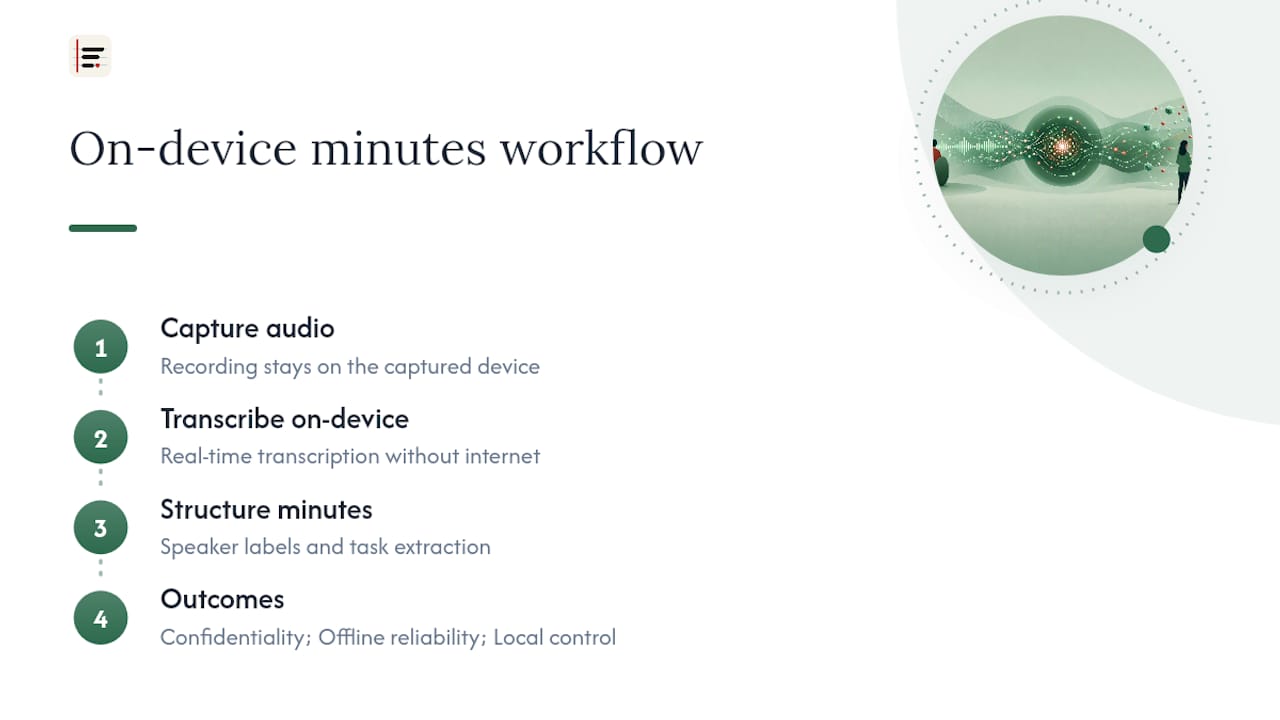
Minuted also handles the structural side: speaker labelling and integration with calendar and task apps means the action items extracted from a recording land directly in the tools a team already uses, rather than sitting in a document nobody opens again.
Why the accuracy conversation misses the point
Most advice on transcription accuracy focuses on the wrong metric. Word-error rate gets quoted constantly, but the failure that actually damages a team is not a mistranscribed word. It is a hedge like "I think we could probably look at Thursday" getting flattened into "Deadline: Thursday" in the final minutes. That single distortion changes who is accountable for what, and it happens even with genuinely high-accuracy transcription.
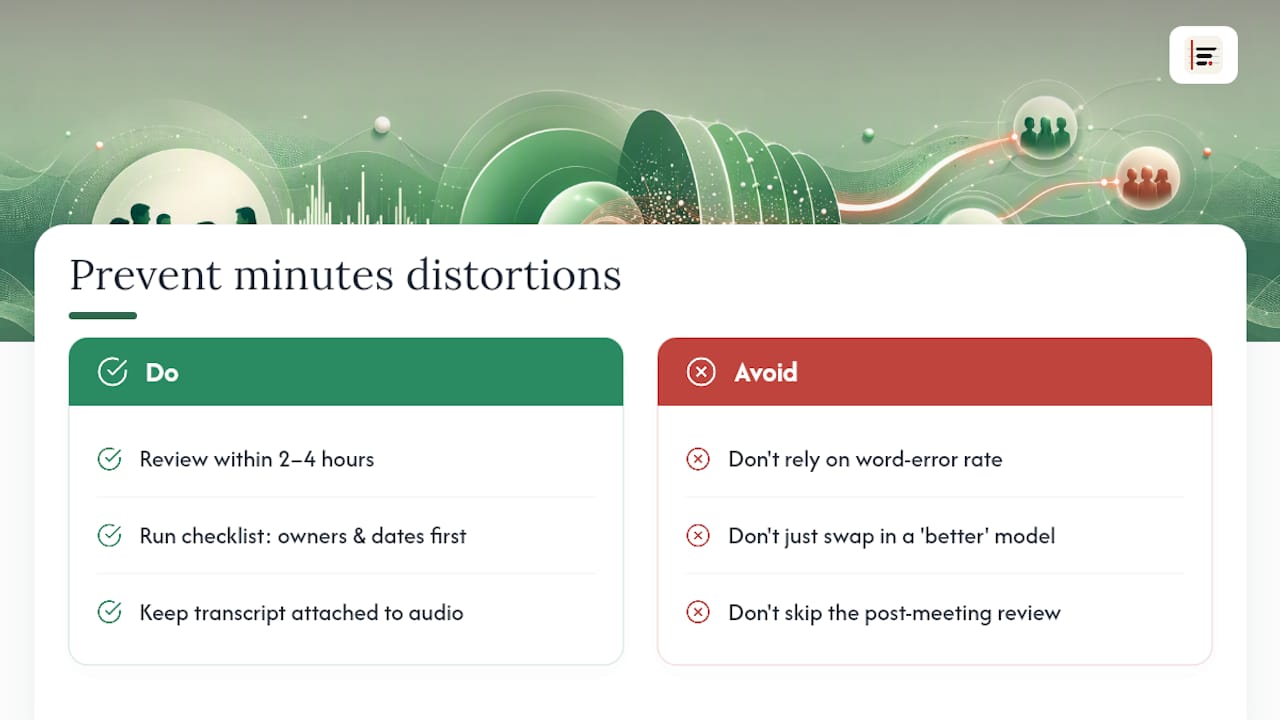
The conventional fix, running the audio through a "better" model, does not solve this, because the problem sits at the summarisation layer, not the transcription layer. What actually works is narrower and less glamorous: a two-to-four hour review window, a fixed checklist that checks owners and dates before anything else, and a transcript kept attached so disputes get settled by playing the audio rather than debating memory.
Teams that skip this step are not saving time. They are deferring the correction to whichever meeting the wrong deadline finally gets noticed in, which costs considerably more than the four minutes the checklist would have taken.
— James
Try converting one meeting with Minuted
Some transcription tools offer a free local mode that runs entirely on-device, allowing you to test diarization, action items, and structured output on a real recording without uploading files or creating an account. This contrasts with cloud-only transcription tools that require sending audio before assessing output quality.
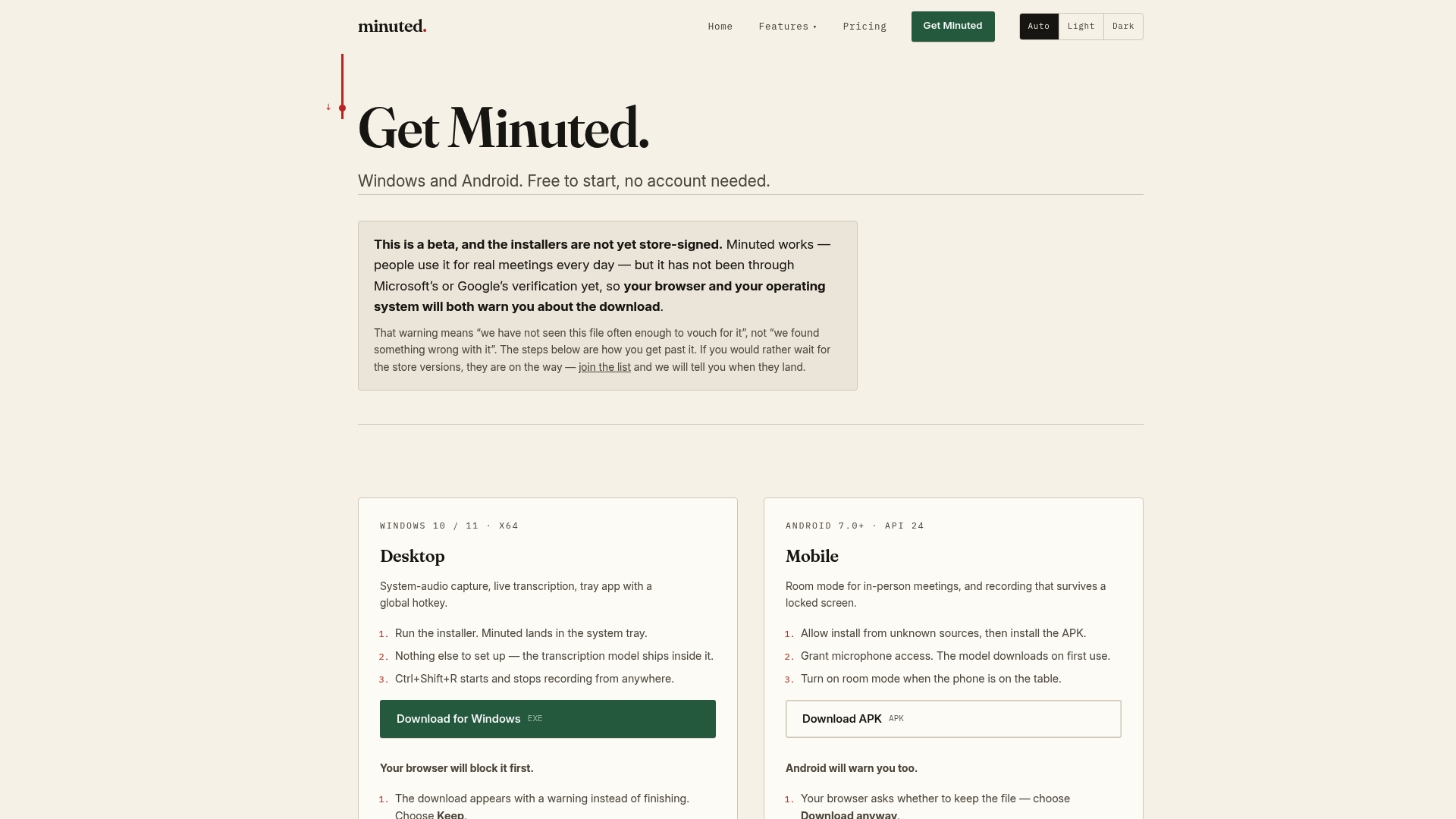
Start by downloading Minuted and running one recorded meeting through it end to end: transcribe, extract action items, and apply the human-in-the-loop checklist above before you circulate the result. If the output holds up and you need more cloud minutes, calendar sync, or task integrations beyond the free tier, the Pro and Ultimate plans start at prices as published on the official site, including monthly and annual billing options. Check what actually leaves your device before you upgrade, so you know exactly which processing model you are choosing.
Sources
- The secretary’s survival guide (TidyHQ)
- How to write meeting minutes (Science of People)
- ACL 2026 paper — multi-speaker ASR/diarization
- Transcribe your recordings (Microsoft Support)
FAQ
How do I convert audio into minutes?
Transcribe the recording, extract decisions and action items with named owners and deadlines, structure the result into a template, and run a short human review before distributing it. Tools that support on-device transcription, like Minuted, can handle transcription and structuring in one pass without sending audio to a server.
Can ChatGPT generate meeting minutes?
ChatGPT can summarise a transcript into minutes-style text, but it needs a transcript as input first since it does not transcribe audio itself. You still need a separate transcription step, and any AI-generated summary should go through the same human-in-the-loop check as other automated minutes, because tentative language can get logged as a firm commitment.
Can I convert my voice recording into meeting minutes?
Yes, a single voice recording can become structured minutes the same way a full meeting recording can, by transcribing it and extracting decisions and action items. Quality depends heavily on how the recording was captured. Close-mic audio in a quiet room transcribes far more reliably than a phone recording across a busy table.
Can ChatGPT transcribe an audio file?
Not directly. ChatGPT works from text, so audio needs to go through a dedicated transcription tool or an audio to text converter first, after which the resulting transcript can be summarised. Built-in options like Word's transcription feature or dedicated apps handle that first step.
What does Minuted cost?
Minuted offers a free plan with unlimited local, on-device processing and no account required. Paid plans start at £10 per month (or £110 per year) for Pro, rising to £20 per month (or £220 per year) for Ultimate, which adds cloud minutes and deeper integrations, with full details on the pricing page.